
This Rust File Manager Was Designed for Omarchy, but Arch Users Can Run it Too
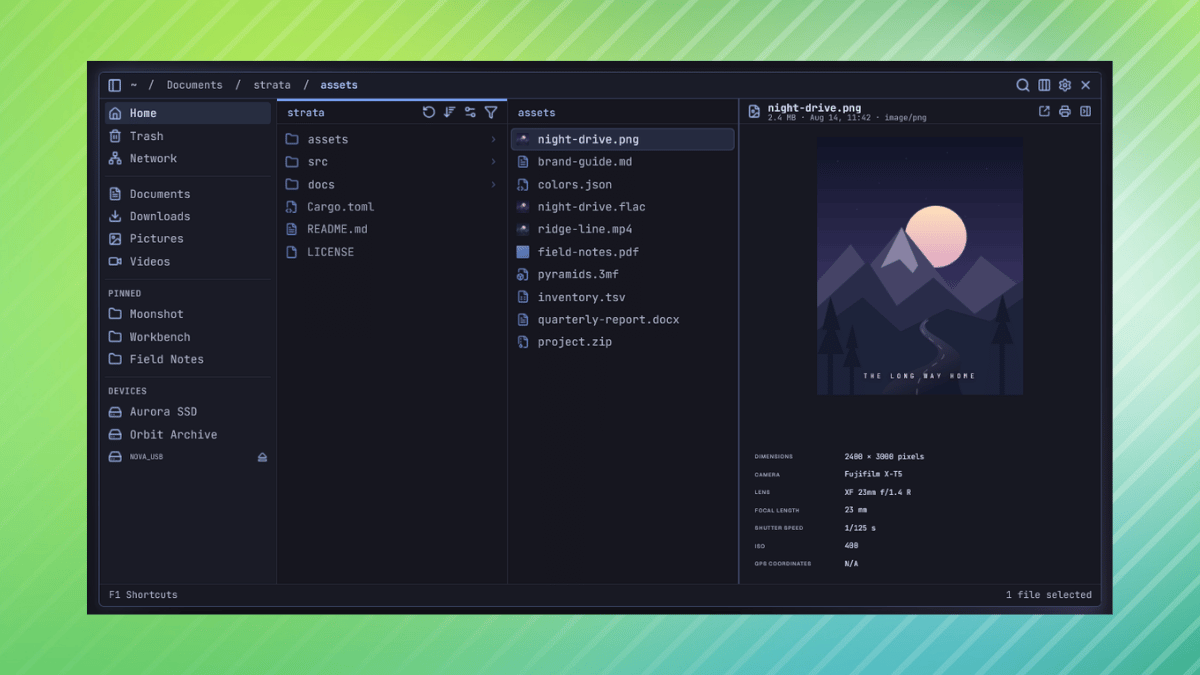
A file manager is one of the most basic tools a Linux distribution comes with, and desktop environments ship their own, such as Nautilus on GNOME, Dolphin on KDE Plasma, and Nemo on Cinnamon.
It is where people browse folders, move and rename files, preview what is inside them, and clean up any cluttered directories. Thanks to the platform’s openness, you can also install more than one file manager on your system and use whichever you prefer.
A new one that has made an appearance recently is Strata, which is tailored for Omarchy and, to some extent, Arch Linux. Other glibc-based distributions might be able to run it, provided they meet its library requirements.
This file manager is written in Rust with GTK4 and released under the MIT license, with its lead developer, Pierre, announcing its first stable release a few hours ago. He claims that in 45 days, the project has picked up over 30 contributors and 700+ commits, with ~300K lines of Rust now in the codebase.
Strata is Here
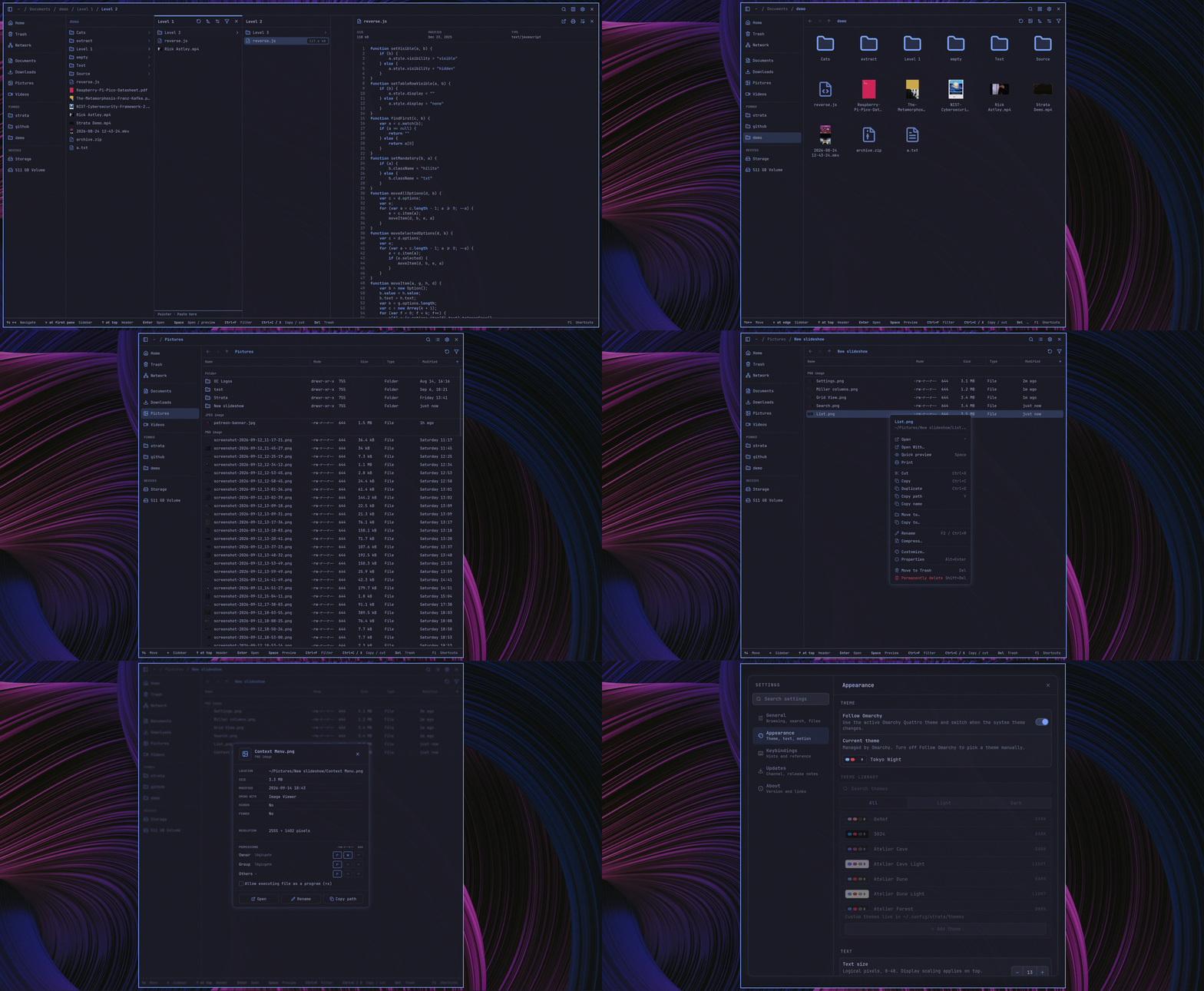
It can show folders side by side, so opening one reveals its contents in a new pane to the right while its parents stay visible, like the column view in macOS Finder. Icon and list views are available too, and being a keyboard-first app, it supports navigation with the arrow keys or the vi-style h, j, k, and l keys.
Ctrl+K opens a fuzzy search over your Home folder and every mounted local drive, which matches file names and paths but not file contents. The 1.0 release adds exclusions in Settings for skipping folders like node_modules or a single directory.
Tabs are another new addition that let any folder be opened in a new tab, with keyboard support for switching/reordering them, and previously open tabs being restored after a restart.
Strata also stores sort order and icon size per folder, where one folder can be sorted by date with large icons while another stays alphabetical with small ones, and each opens that way the next time.
Pressing Space toggles a preview panel for images, camera RAW files, PDFs, source code, audio, and video.
It includes a diverse range of themes too, and an in-app editor lets you create your own and save them as TOML files. Code and config files also get language-specific icons based on Catppuccin, in brand colors or the theme’s accent.
Install it
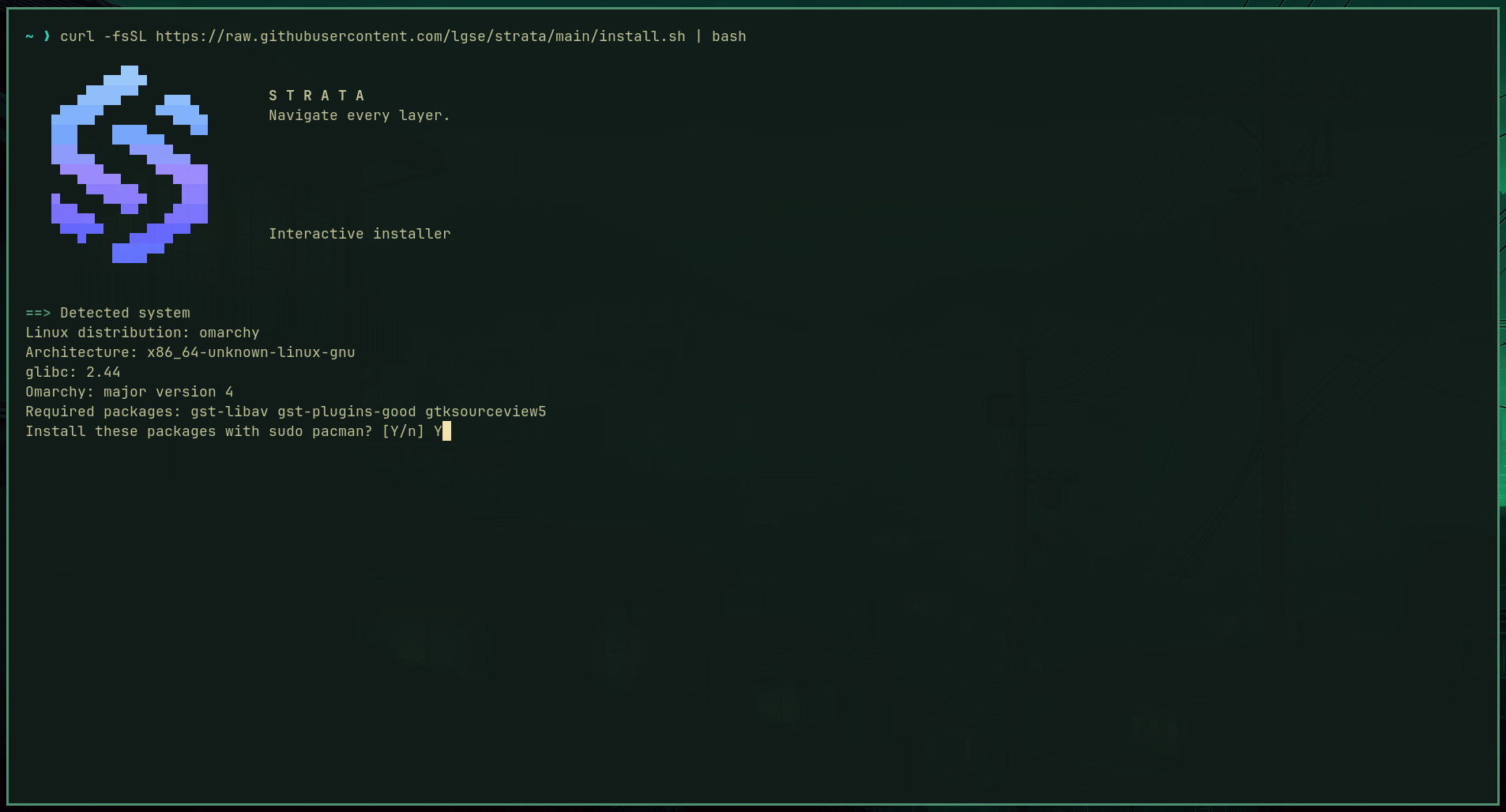
Strata has an interactive installer for Omarchy and Arch Linux that runs from a single cURL command:
curl -fsSL https://raw.githubusercontent.com/lgse/strata/main/install.sh | bashThe installer detects the CPU architecture, the glibc version, and whether the system runs Omarchy 3 or 4 or Arch Linux. It installs the latest stable release for the current user in ~/.local/bin.
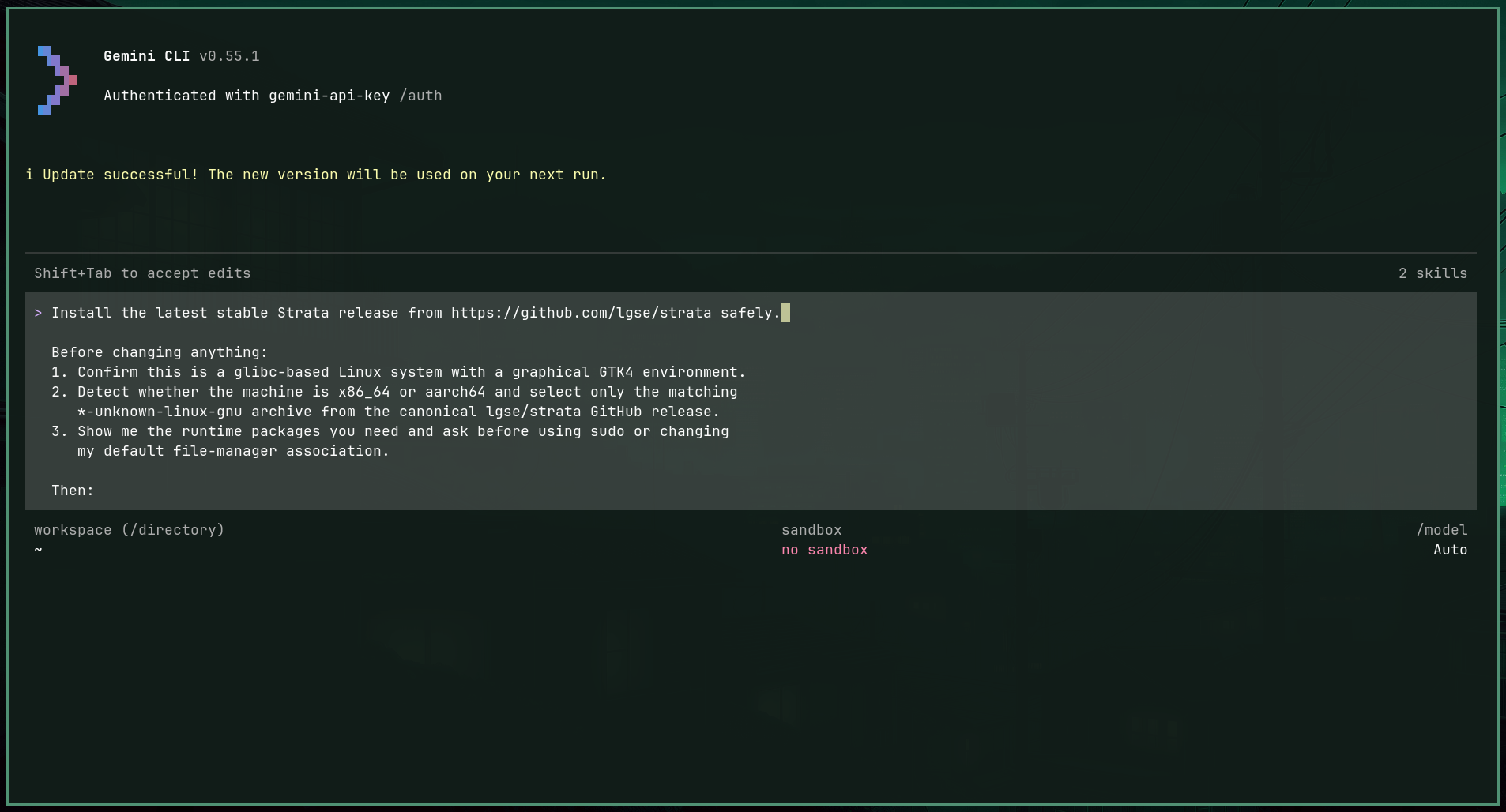
Optional extras such as a desktop entry, a default folder handler, SMB support, and Omarchy keybindings are also available. You can even feed Omarchy’s onboard AI agent a specific prompt to get it installed on your computer.
If you just want to check out Strata before committing to it, the project’s homepage has a demo that lets you play around with it. Building from source is also possible.
