
Lumo 2.0: Proton’s Private Alternative to ChatGPT and Claude Just Got Better
When Lumo (partner link) launched last year, I took it for a spin to see what Proton’s foray into AI assistants looked like. I found out that the open source AI assistant ran quite well for a new launch.
And a few months later, Lumo 1.3 brought Projects to the assistant, letting me bundle related chats, files, and custom instructions into encrypted workspaces. I tried this out too, complete with Proton Drive integration for pulling files straight in, and it worked well.
Following that, I used Lumo to cook up some ideas for our socials, and it worked decently, though sometimes it would completely miss the mark. Also, its lack of ability to read images was something that didn’t sit well with my workflow.
Fortunately, that’s changing with the launch of Lumo 2.0, Proton’s “most advanced AI assistant yet.”
What’s new with Lumo 2.0?
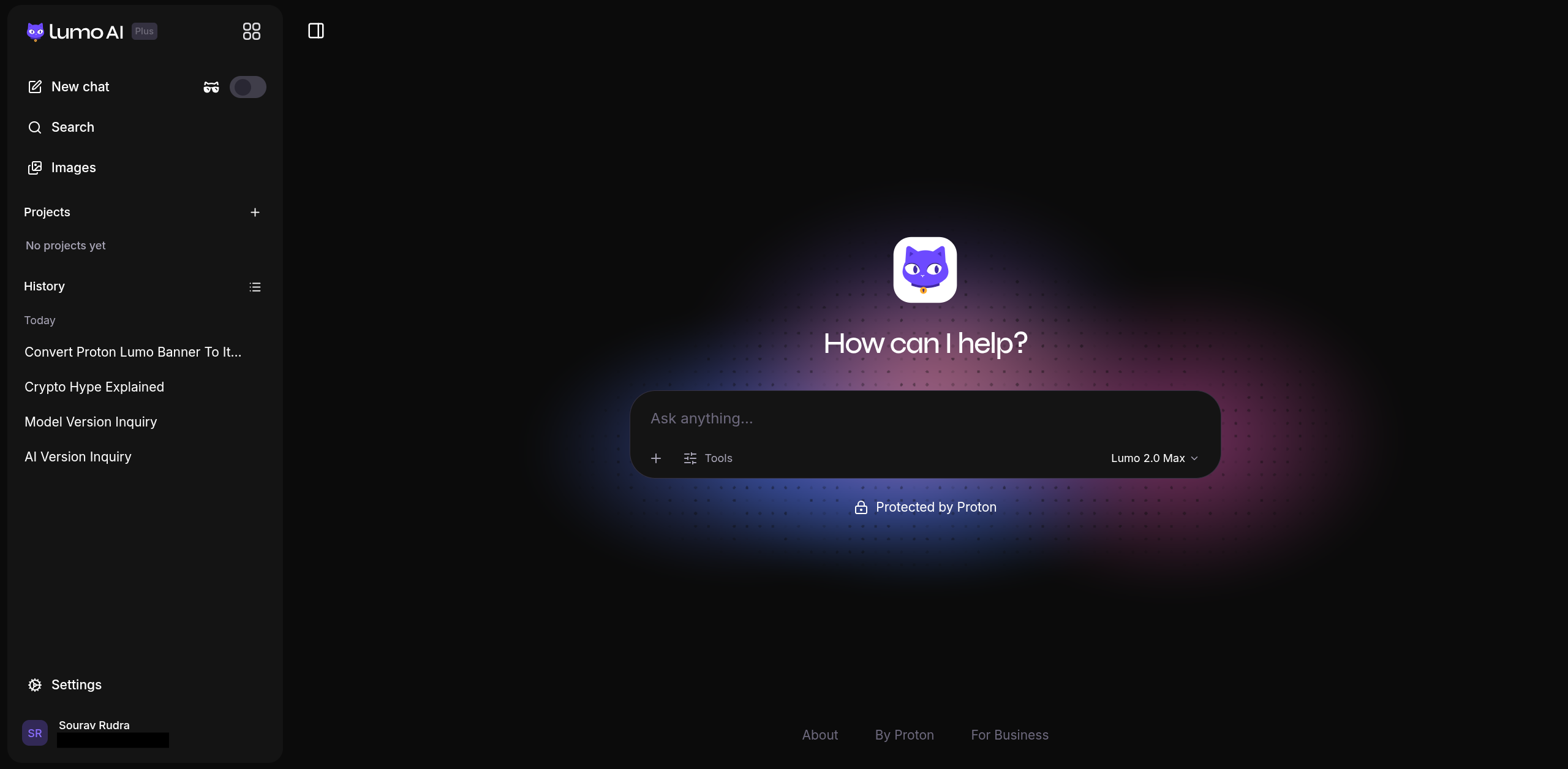
The feline-faced assistant didn’t have real memory capabilities before this. It could save your chat history and group-related work into Projects, but it never actually remembered anything about you between separate conversations.
That is something every major AI chatbot on the market has already cracked. With Lumo 2.0, that changes, and you can now take advantage of user-controlled memory, which lets you configure what Lumo carries over from chats.
Then there’s the web search feature that already existed earlier, but it leaned entirely on the model’s own knowledge once you toggled it on. The Lumo 2.0 implementation pulls in live results with source citations instead, so answers about anything recent should actually hold up.
Another gap that has been plugged is the image support, with there now being the ability to analyze, edit, and generate images inside any encrypted Lumo conversation.
Proton also includes the Lite and Max models with this release. Andy Yen, Proton’s CEO and founder, says the latter performs on par with the latest models from OpenAI and Anthropic for many use cases, based on the company’s own user testing.
I played around with it

For starters, I asked Lumo what version it was running, just to see if it had information on what its internal components consisted of. The earlier Lumo release had just done some guesswork, guiding me towards the support page for Lumo for getting further information.
But with 2.0, I was given an overview of the release, and during that, I also noticed the new AI model switcher that let me change between the Lite and Max models, as well as the thinking mode, with toggles for Fast and Thinking.
Next, I enabled memory through the settings panel. Before I could do that, Lumo laid out what it does. Showing that it can personalize chats based on saved preferences, stay out of project chats entirely, and store everything with zero-access encryption.


Once it was on, the panel showed an empty saved memories list, with options to generate entries from recent chats or add your own. I added one manually, telling Lumo I prefer facts over hallucinations and clarity over jargon.
To test the upgraded web search, I asked Lumo, “What is the hype behind Crypto?,” a question that needs current information rather than whatever the model already knows.
Initially, it gave me a long summary of what I asked, but it was drawn from its training knowledge.


I asked Lumo again, this time with a slightly different prompt, “Why is crypto in hype right now?,” and it visibly searched the web before answering. It then came back with a June 2026 breakdown covering Bitcoin’s recent price drop, the political money flowing into crypto-friendly campaigns, and the DeFi narrative gaining traction.
To back all that, the sources panel sitting next to the answer cited reporting from authoritative outlets like Business Insider, Forbes, Seeking Alpha, and Politico.
For image generation, I uploaded the official Lumo 2.0 launch banner and asked it to convert the branding over to our branding, with a link to our homepage as reference.
Lumo worked through the request, pulled in the image, read through the It’s FOSS homepage, our socials, and searched the web before generating a result.


The output swapped the purple cat mascot for a green penguin and shifted the color palette to match our branding. Though there was a slight niggle here.
Lumo’s own summary claimed the text had been updated correctly to read “It’s FOSS.” It hadn’t. The actual banner reads “It’s FOCS,” a typo Lumo never caught, even while running on Lumo 2.0 Max in Thinking mode.

AI assistants are known to fumble exactly this kind of detail, so I asked Lumo to fix the typo. A few prompts and a handful of slightly different image variations later, Lumo gave up, explained what the issue was, and asked me to add the text myself instead.
It then promptly slipped a typo into the supposedly text-free image it generated next. ☠️
Get started with Lumo
The 2.0 models are available right now, accessible via the official website. Without signing up, you get limited guest access to Lumo’s core AI capabilities, while creating a free account unlocks more prompts and chat history.
If you want more, then signing up for Lumo Plus will get you access to projects, image generation, unlimited chats, and the various Lumo models.
If that still doesn’t cover your use cases, then there are the Lumo for Business plans, which run on the same zero-access encrypted, Europe-based infrastructure. These include admin tools for managing team access and compliance support for regulations like GDPR and HIPAA.
Finally, the source code for Lumo’s Android and iOS apps can be found on GitHub.
