
After Nearly a Decade of Distro Hopping, I Realized It Was Never About the Distro
For years I thought I had strong opinions on Linux distros. Ubuntu was too heavy or it felt. Arch was too fiddly. Kali was surprisingly practical (don’t judge me).
Looking back at nearly a decade of distro hopping, I realize I had the whole thing wrong.
It was never really about the distro. It was about what desktop environment sat on top of it.
My Linux story starts with Mint
The first Linux distribution I ever installed was Linux Mint Cinnamon, around 2017. Linux Mint is what made me think Linux was actually livable. The desktop made sense. Things were where I expected them to be. It was Ubuntu underneath, sure, but that’s almost beside the point; what mattered was that the experience felt considered.
I didn’t move to Ubuntu until 2019. I ran it for about six months. Then I left.
The reason I told myself at the time was that Ubuntu felt slow on my hardware. I had an i3 first-gen Intel machine. Ubuntu felt sluggish in ways that bothered me. I blamed Ubuntu.
Here’s what I discovered later: the culprit wasn’t Ubuntu. It was GNOME.
GNOME is a beautiful desktop. I’ll give it that. But on modest hardware, it feels less responsive, and even at times, it completely freezes. It shows up in the half-second delays, the slightly-too-late window redraws, and the sense that the machine is working harder than it should be.
XFCE saved my Linux life
The thing that actually kept me on Linux, the desktop environment I kept coming back to, is XFCE.
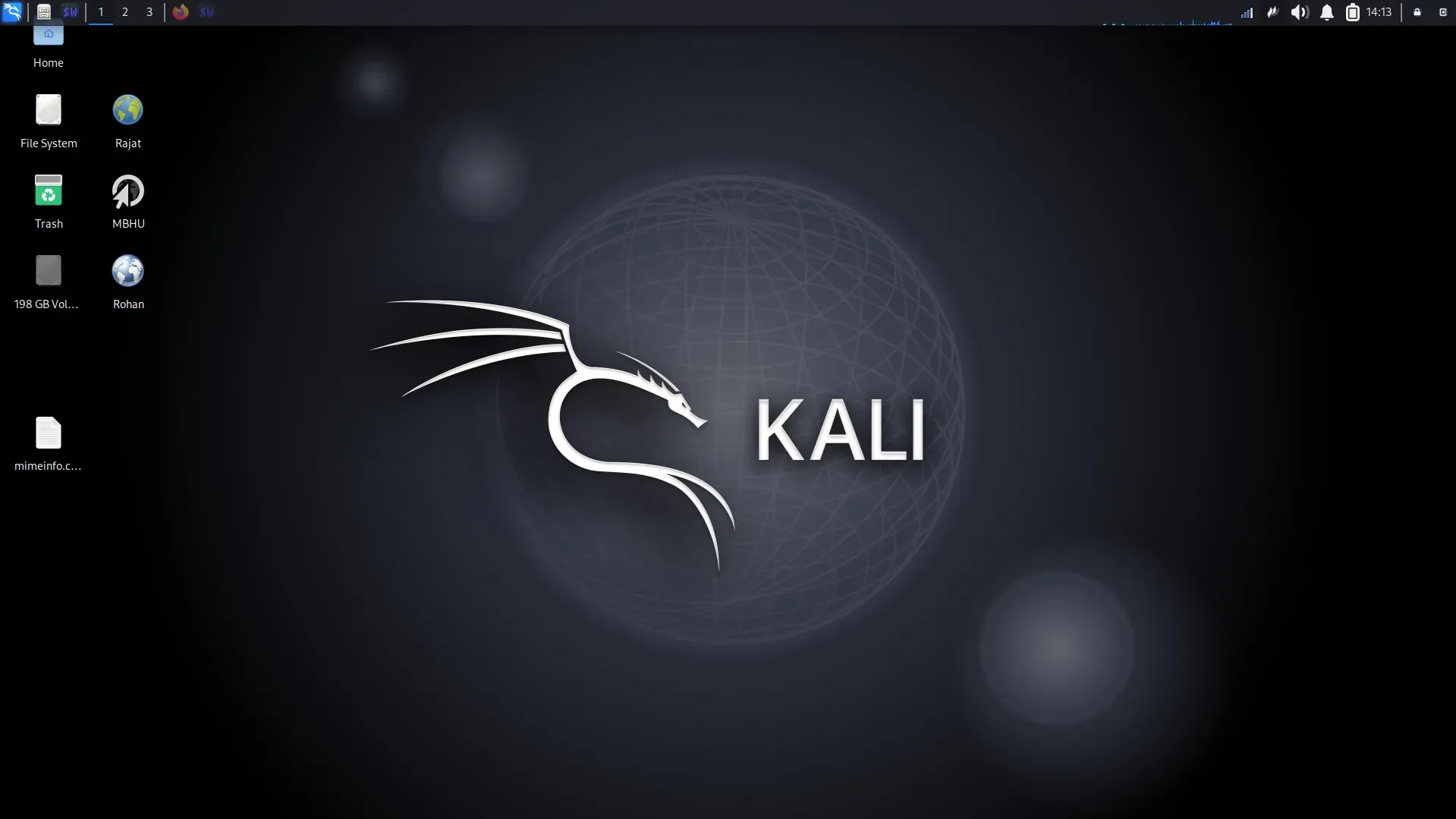
XFCE doesn’t win “most beautiful desktop” polls. But I ran it on that i3 first-gen machine, and it ran smoothly out of the box. I ran it on a Core 2 Duo at some point.
Internet browsing, YouTube, writing articles, Django, and Python development, all of it, without considerable delay. XFCE in that sweet spot between functional and fast is something I haven’t found matched elsewhere for low-resource machines.
I did try KDE. More than once, actually, I wanted to like it. I kept going back, hoping something had changed. What I found, every single time, was that a single click could take three to four seconds to get a response. It felt like the desktop was thinking about whether it wanted to comply with my input.
Even recently, a few weeks ago, I tried both CachyOS and EndeavourOS as live USB sessions in a VM, and both now default to KDE. I still felt it. That sluggishness hasn’t gone away for me, and I’ve stopped trying to convince myself otherwise. XFCE remains my benchmark for a desktop that gets out of your way.
My Kali Linux Journey
After six months on Ubuntu, I switched to Kali Linux. And not for the reason you might think.
I had not suddenly become a penetration tester. I didn’t have a burning interest in cybersecurity. I switched because Kali ran better on my hardware than Ubuntu did and because I was already comfortable with APT commands from my Mint and Ubuntu days, so the transition cost was essentially zero. I had access to the same package manager, familiar commands, and a lighter desktop.
I chose a distribution built for security professionals over the supposed beginner-friendly option. I chose not because of anything Kali offered that I needed, but because Ubuntu had made itself too heavy for the machine I owned.
The Arch Linux rabbit hole

By mid-2021, I’d been reading about Arch Linux mainly through all the BTW memes. The idea of an “expert’s distro” appealed to me.
So I stayed up one night and tried to install plain Arch. I did not finish the installation.
What struck me was running commands to create partition tables and configure Wi-Fi. It was baffling. Not “this is hard, but I’ll figure it out.” More like: why has someone decided that an operating system installer should work like this?
I tried Fedora after. Then I tried Debian. In both cases, on my ageing hardware, boot times were bad enough that I found myself questioning whether the whole exercise was worth it. With Debian, I faced an internet connectivity issue as well.
The thing that drew me to Arch was Pacman and leanness. I kept asking myself: why can’t the installation be as simple as Ubuntu’s, but give me the system I actually want?
That’s when I found EndeavourOS. It required no manual commands to connect to Wi-Fi. No writing partition tables by hand. Just select a disk, set your timezone, keyboard layout, and hostname, and you’re done.
And when I booted in for the first time, I found the default looks fascinating. The default terminal: black background, blue accents, immediately distinctive. The default wallpaper was something I actually liked enough not to replace it, which almost never happens.
I used EndeavourOS for four-five years, I think.
What those “Arch” years looked like
I want to be honest about this stretch, because people who recommend Arch-based systems sometimes skip over the rough parts.
I hit the initramfs wall three or four times. That’s the experience of booting your machine and being dropped into a minimal emergency shell with no desktop, no obvious path forward, just a blinking cursor.
The first time it happened, I didn’t know recovery was possible. I reinstalled the entire system. Only later did I learn to boot from a live EndeavourOS USB, use arch-chroot to get inside the broken system, and rebuild the kernel from there. The culprit was usually a problematic package upgrade.
I also ran into keyring mismatches more than once, that particular class of Arch-ecosystem errors where package signatures don’t line up, and installations fail with cryptic messages. The fix I settled on:
sudo pacman -Syu archlinux-keyring endeavouros-keyringI’m sharing them because this is the actual texture of running an Arch-based system. It’s manageable. I managed it. But a beginner who hits the initramfs wall on their third week of Linux use is probably not going to calmly research arch-chroot. They’re going to conclude that Linux is unstable, and they were right not to trust it.
AntiX chapter and the limits of anti-systemd
Around mid-2024, I discovered AntiX Linux and ran it alongside EndeavourOS for roughly two years. It taught me a lot about IceWM as a window manager. For someone with a potato-tier hardware, old machines that most distributions have quietly given up on, AntiX is remarkable.
But I hit the systemd wall eventually. AntiX deliberately avoids systemd, which is philosophically interesting but practically limiting. A growing range of applications that assume systemd exists simply don’t work cleanly. And I’ll be honest: the AntiX GUI is not appealing. It’s functional, and it works. But there’s a visual coarseness to it.
After two years, I started thinking about moving on.
Returning to Kali for real this time

Now I’m back on Kali, but the circumstances are completely different. I really have an interest in cybersecurity, particularly bug bounty work. I’m running a Dell laptop with an i5 8th gen and 12GB of RAM now.
Two months in, I’ve had one issue worth documenting. Kali ships Firefox ESR, and if you want to remove it, the system objects, because Firefox ESR is part of the kali-xfce4 metapackage, and removing it wants to take other things with it.
The workaround I found: install the equivs package, use it to create a dummy Debian package with the same name as the dependency you want to satisfy, install that dummy, and the system believes the dependency is met. It’s inelegant, but functional.
Where I am now: leaving XFCE for window managers
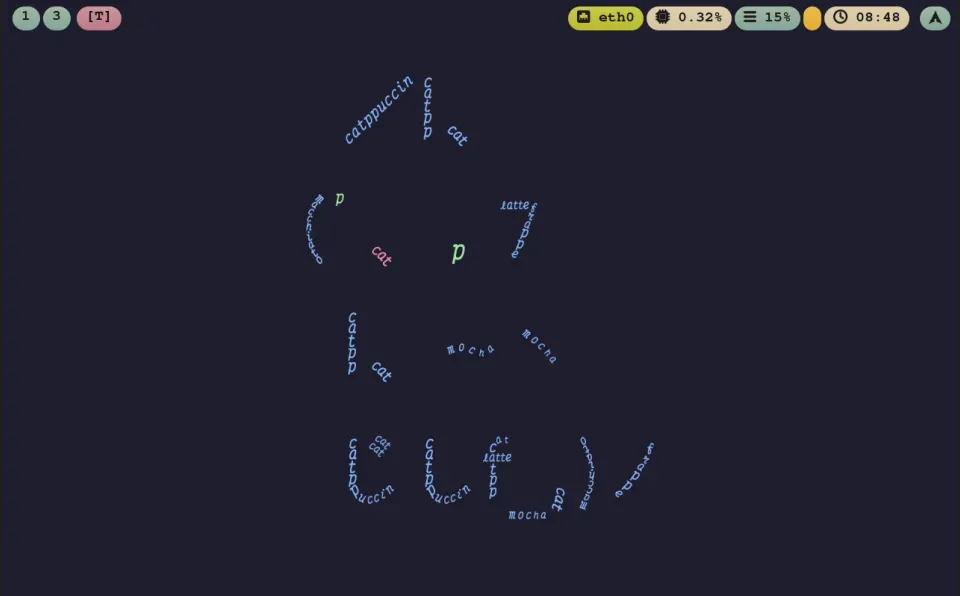
A lot is happening in the Linux desktop world around Wayland, Hyprland, and tiling window managers. The thing that excites me about this space, and I’ve come to believe this more firmly the longer I’ve used Linux, is the plain-text configuration model.
Your entire environment lives in text files you can read, version-control, back up, and restore. That’s a kind of ownership over your system that no GUI settings panel can replicate.
I spent this past couple of months trying several options: Niri, Sway, and Scroll WM. I eventually settled on Mango WM as my main environment. I know, calling it a desktop environment feels technically wrong, but it’s what I live in. The configuration philosophy suits how I think about my system.
That means I’m saying goodbye to XFCE after years of loyalty. Not because XFCE failed me, but because I’ve moved somewhere new.
Desktop environment, not distro
Looking back at all of it, I did not like Mint just because it’s Mint. I felt comfortable with Cinnamon. I did not dislike Ubuntu because it’s Ubuntu. It’s because GNOME demanded more of my old hardware than the hardware could give.
Every distro-hop I’ve listed here, from Kali to Arch to AntiX to Mango WM, was really a hop between desktop environments and window managers wearing a different distro’s name. The package manager changed. The installation experience changed.
What actually decided whether I stayed or left was always what sat on top: how fast it responded, how much RAM it wanted, whether I could read its configuration in a text file, how it felt to use.
The desktop environment mattered more than the distro.
If you’re picking your first Linux setup, this is the question worth asking before you pick a distro: what desktop environment does it ship, and does that match your hardware and your preference?
