
Bambu Lab Keeps Locking Down, The Community Keeps Building Up
People who dabble in 3D printing know that Bambu Lab makes some of the most capable consumer 3D printers on the market right now. And no, this is not sugarcoating it; the hardware is genuinely good, catering to tinkerers at varying price points.
The software, though, is like a slow-burning wound for anyone who values owning what they buy. Things have been downhill for some time now, and it started back in January 2025, when the company announced a new authorization and authentication system for its X1 Series printers.
Some Lore Info
They pitched it as a security update, with the change requiring Bambu Lab authorization for basic printer operations, locking out third-party tools in the process even in the offline LAN mode.
The backlash was severe enough that Bambu had to walk back parts of the announcement, add an FAQ, and introduce a “Developer Mode” as a compromise. The damage to trust, however, was already done.
By June 2025, the same authorization system had rolled out to the P and A series as well, cutting off third-party software from working with Bambu printers by default.
More recently, they went after an open source developer who had built a fork of OrcaSlicer that restored direct communication with Bambu printers by studying the publicly available Bambu Studio source code.
He had not touched any proprietary library, yet Bambu Lab threatened him with a cease-and-desist, which led to the project being taken down. The Software Freedom Conservancy later confirmed this was a violation of the AGPLv3 license that governs Bambu Studio and its upstream projects.
This is where open source alternatives like Bambuddy come in. The tinkerer community has made it clear that locking down hardware people paid for tends to produce exactly this kind of response.
Bambuddy: Overview ⭐
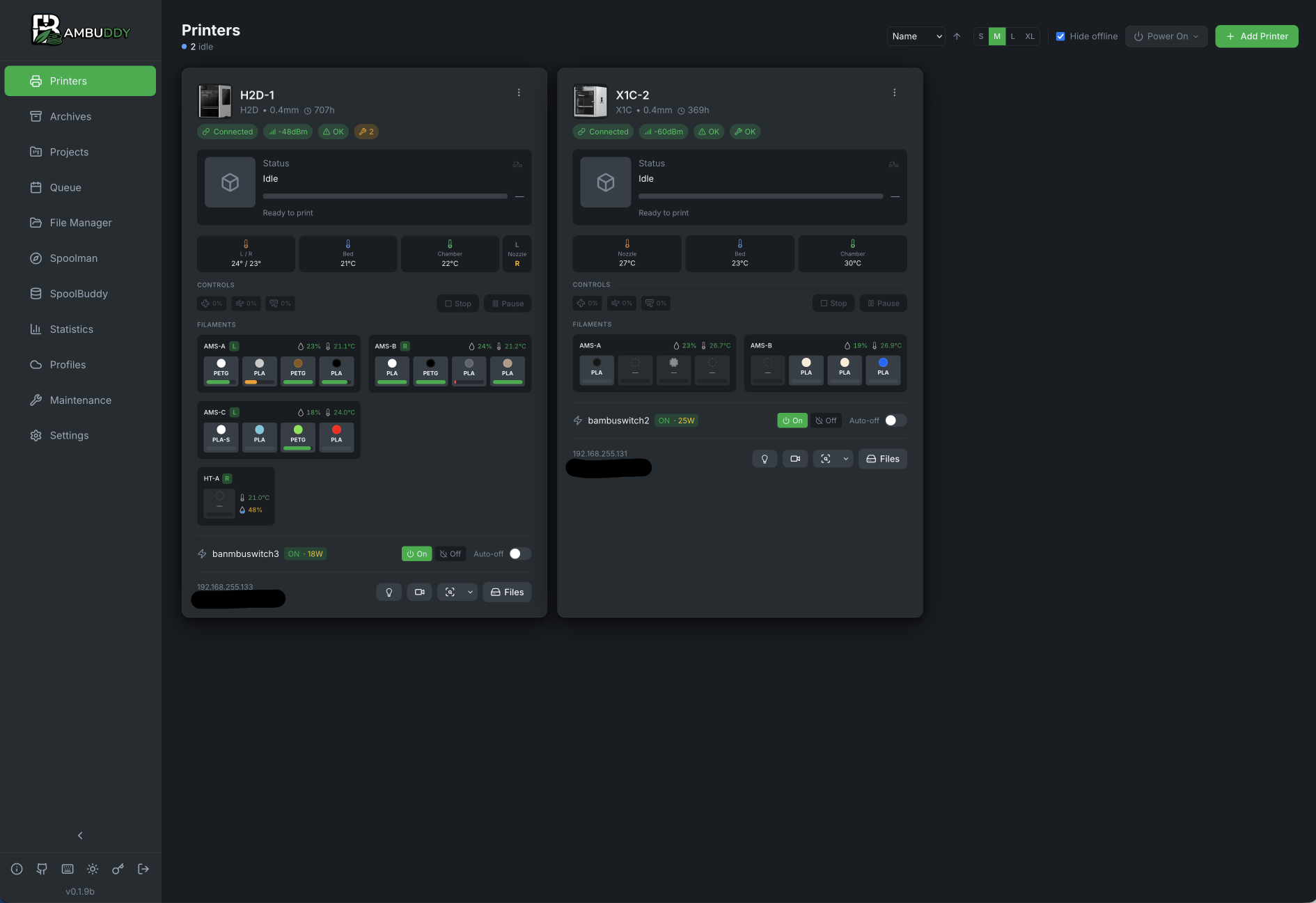
Bambuddy is a self-hosted, open source print management system for Bambu Lab printers, built by a developer known as Martin (maziggy). It runs in Docker, sits on your local network, and gives you a full web-based dashboard to manage your printer.
It offers you things like real-time monitoring, print management, file archiving, scheduling, and a lot more, all running locally on hardware you already own, whether that is a pricy Raspberry Pi 5, a NAS, or any other Linux-capable machine.
Bambuddy also has a print queue with drag-and-drop reordering and time-based scheduling, so you can line up overnight jobs or off-peak prints without having to babysit the machine.
For anyone running multiple printers, it supports dispatching to a fleet with automatic load balancing based on which machine is idle and has the right filament loaded.
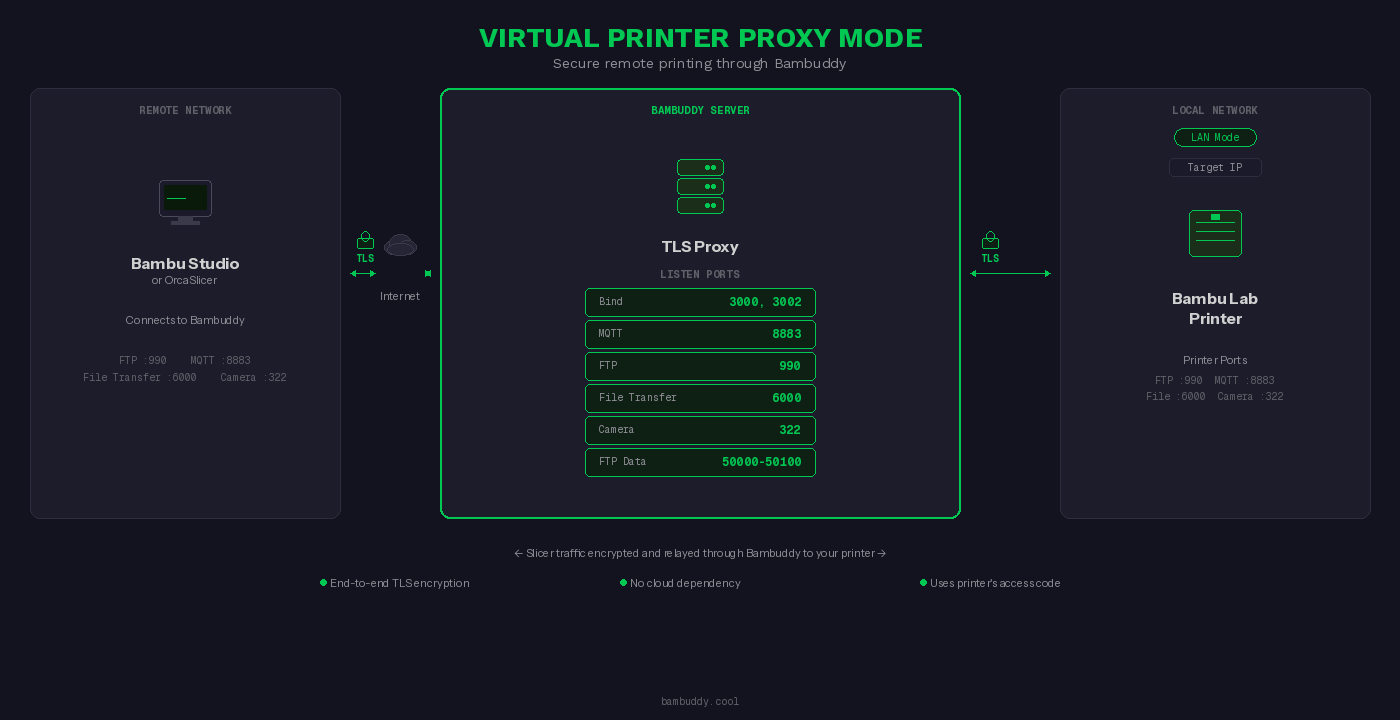
Remote printing is handled through Proxy Mode, which lets your slicer talk to your printer from anywhere in the world without port forwarding or touching Bambu’s infrastructure. Traffic is forwarded securely with full end-to-end TLS, and there is built-in Tailscale awareness if you already run a private mesh network.
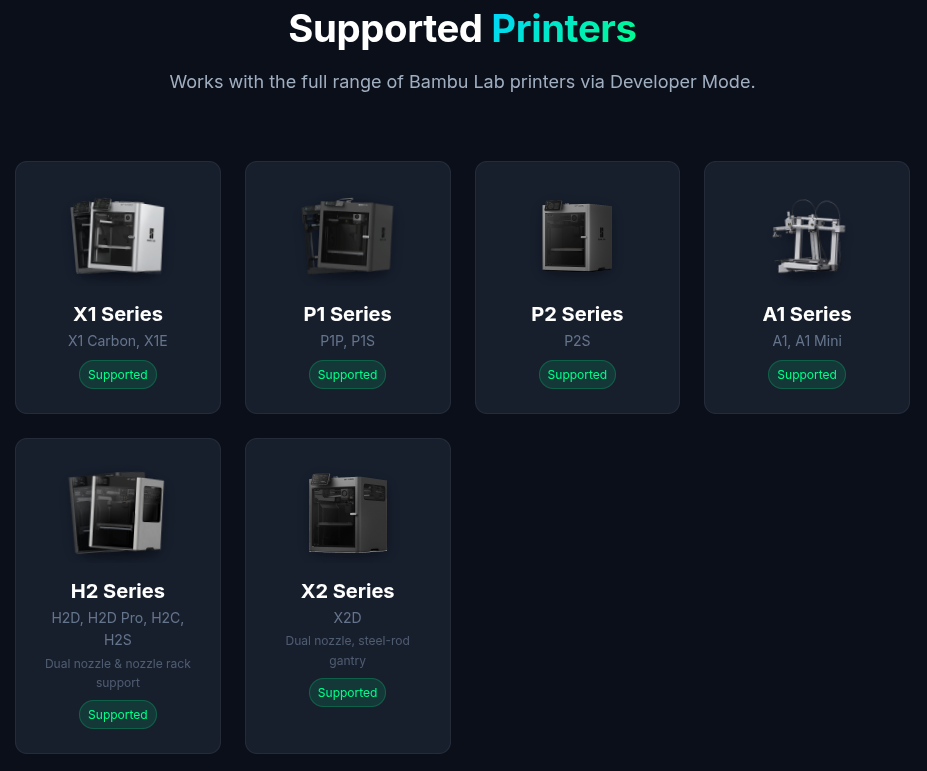
Not only that, but it also supports a wide range of Bambu Lab printers, including the X1 Carbon, X1E, P1P, P1S, P2S, A1, A1 Mini, and the newer H2D, H2D Pro, H2C, H2S, and X2D.
For people who want to cut desktop slicers out of the loop entirely, there is an optional sidecar that runs OrcaSlicer or Bambu Studio headlessly in Docker. With this, you get a Slice button directly in the Bambuddy interface, multi-plate support, per-AMS filament matching, and the finished file drops straight into the queue when it is done.
Get Bambuddy
The source code for Bambuddy can be found on GitHub, licensed under AGPLv3. Installation guides, setup walkthroughs, and feature documentation are all on the official wiki.
You can also check out the Bambuddy website for a live demo and a full feature overview before committing to a self-hosted setup on your homelab.
