
One Open-Source Repo to Replace Adobe, Microsoft, and Salesforce
Adobe charges $60 a month. Microsoft 365 keeps raising its price. Salesforce will take $150 per user without blinking. These are not tools you own. They are subscriptions that expire the moment you stop paying, often taking your files and workflows with them.
The Puter team thinks that is worth fixing. Remember Puter? The folks behind the PuterOS that gives you a workable operating system in a web browser.
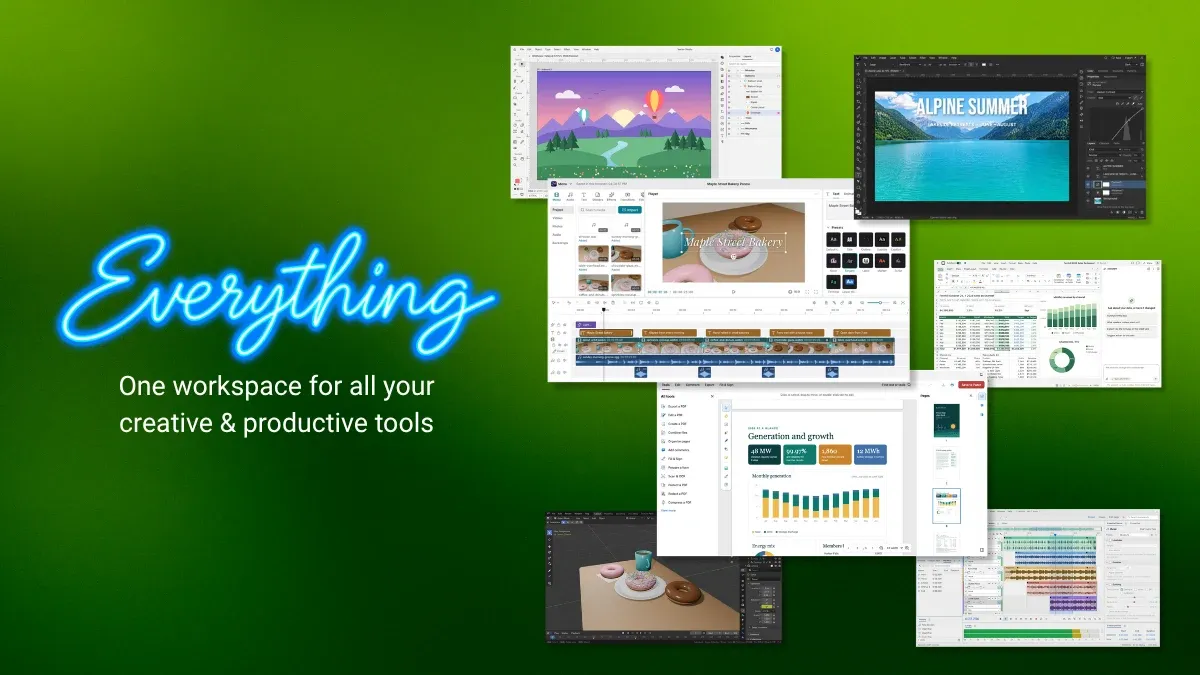
Their new project, called everything, is a single GitHub repository with one specific goal and that is to rebuild the world’s software from scratch, free and open source.
This is what they are aiming for. Over 50 web-based applications spanning nine categories, including a photo studio, full office suite, CRM, CAD tools, video editor, and circuit design app. Every one of them is open source under the MIT-license. And they can be self-hosted, too.
Basically, it targets all the major Software as a Service (SaaS) companies.
Tapping Into Everything
The applications are all listed on the official GitHub page, they’re all in a table, and very helpfully, the cell next to the application name states what popular software it is an alternative to. For example, “Notes” is an alternative to Microsoft OneNote, Evernote, Apple Notes. It is all put in well organized categories.
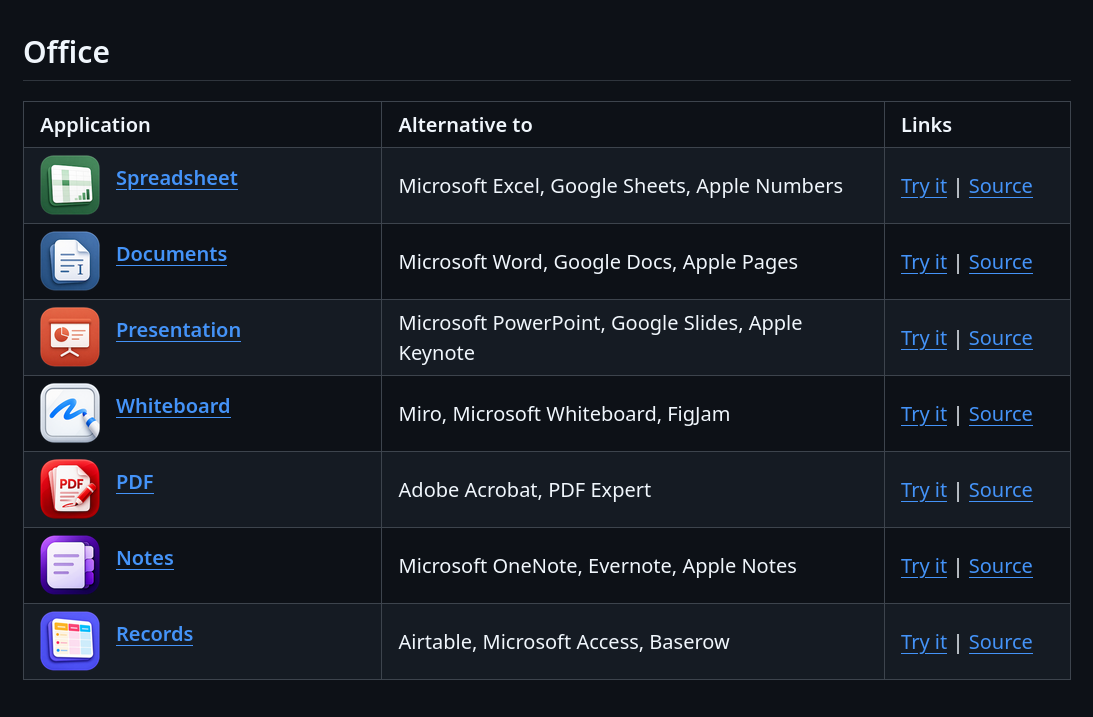
The apps are all hosted online, and can be opened by pressing the “Try it” link. They’re completely usable, however, and in case you have a slow system that can’t handle some heavy duty tasks such as video editing, this is genuinely a better option. Nevertheless, you have to remember that you’ll be uploading your data to this service, and if that is a privacy concern then you may have to reconsider.
Local Hosting
On the other hand, you can also host the applications locally, the instructions for which are given on the GitHub page, again.
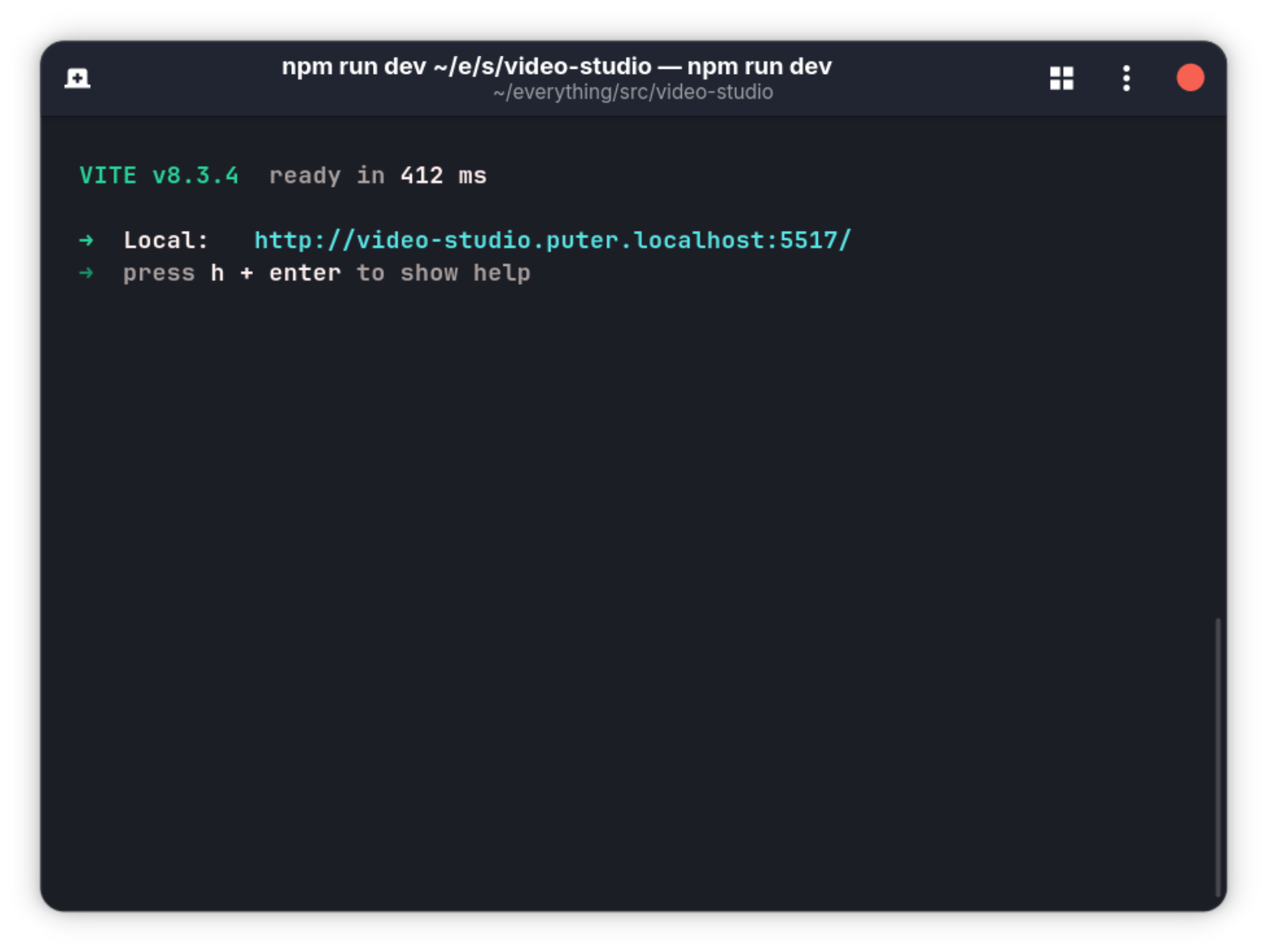
For example, here I am running the Video Studio locally:
cd everything/src/video-studio/
npm install
npm run dev
This returns a link you can open up in your browser and use the application.
Storage

Background
HeyPuter launched Puter in 2024 as a self-hostable internet computer: a full desktop environment running in a browser, with cloud storage, apps, and developer tools baked in. It was well received by the community.
With Everything, rather than building one great alternative to one piece of software, the project takes on the entire proprietary stack at once.
The logic is that the vendor lock-in does not come from a single app. It comes from an ecosystem. Adobe keeps you because Lightroom talks to Premiere talks to Acrobat. Microsoft keeps you because Word talks to Excel talks to Teams. Breaking one link does not free you. Everything is trying to break all of them.
The MIT license matters here. Unlike the GPL, MIT places almost no restrictions on use. You can take these apps, modify them, and run them anywhere without obligation. For businesses and developers worried about compliance, that removes the last excuse to keep paying for proprietary software.
Experiencing the Everything apps
I’ve tested some of the apps to check the quality of the production, and pretty much to see if the job gets done.
PDF Editor
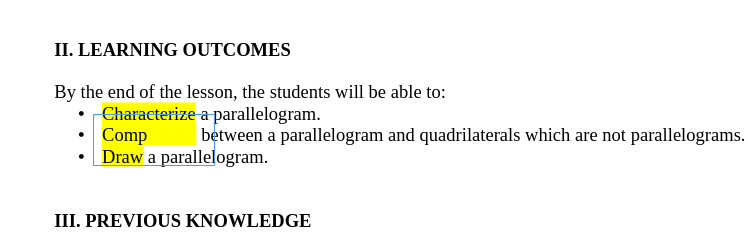
The PDF editor has great options, adding texts or links, images, stitching PDFs together and so on.
You can even draw diagrams to add to the PDF in the app itself. You can also add sticky notes, highlight text etc. These are quite basic features on a PDF editing menu, but they work seamlessly here, which is great to see.
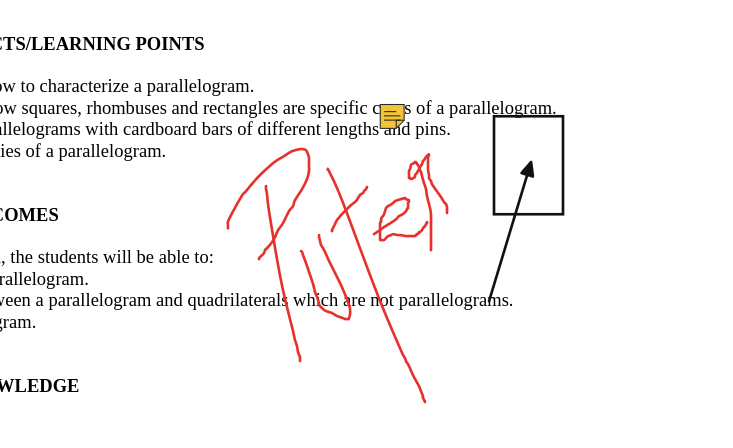
Since the software is in early stages, there are some bugs. Like when I tried editing the preexisting text in a PDF file, it was not entirely accurate. The text doesn’t always get detected in proper blocks, and the formatting gets all over the place as a result of that.
Video Studio
I tried some of the features, such as the AI caption generation, and the film grain effect, with transitions in between clips and it worked quite well.
It also generated captions and allowed me to edit them if a word was incorrect.
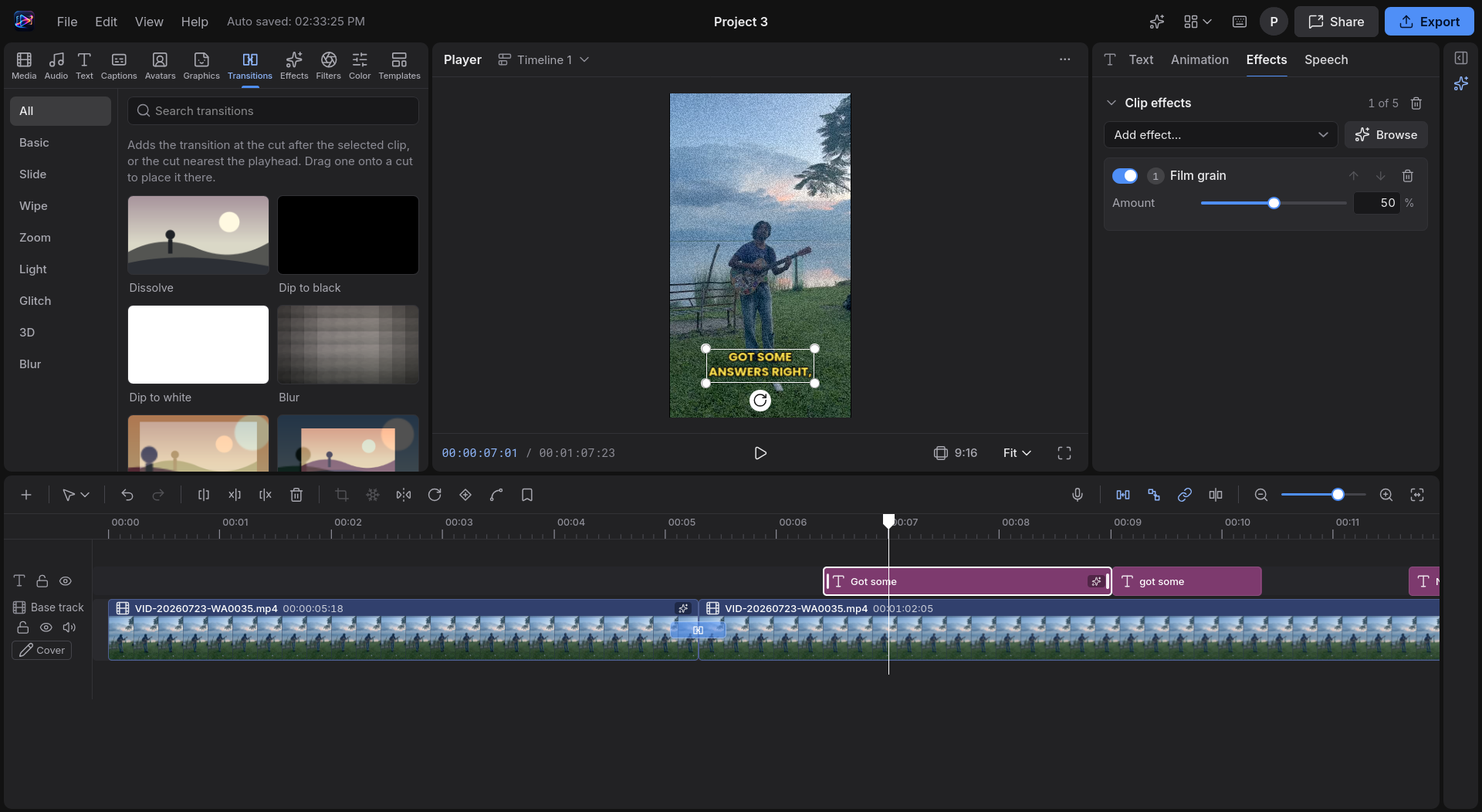
The export menu showed options to separately export the audio in a WAV file and captions in an SRT file, which is great.
I had an issue with one of my video clips where it said my browser couldn’t decode the video file, but then there was no further information on how to fix it, which essentially rendered the video file uneditable.
Music Studio
Being used to Ableton myself, the interface was different here for me. Don’t get me wrong, the app itself is pretty intuitive to navigate through, the major actions are all laid out in a great way.
It has all the effects you might need, such as compression, reverb, delay, parametric EQ, stereo and so on. They work quite well, and the options for each are ample.
Nothing too technical, but just as much as you need.
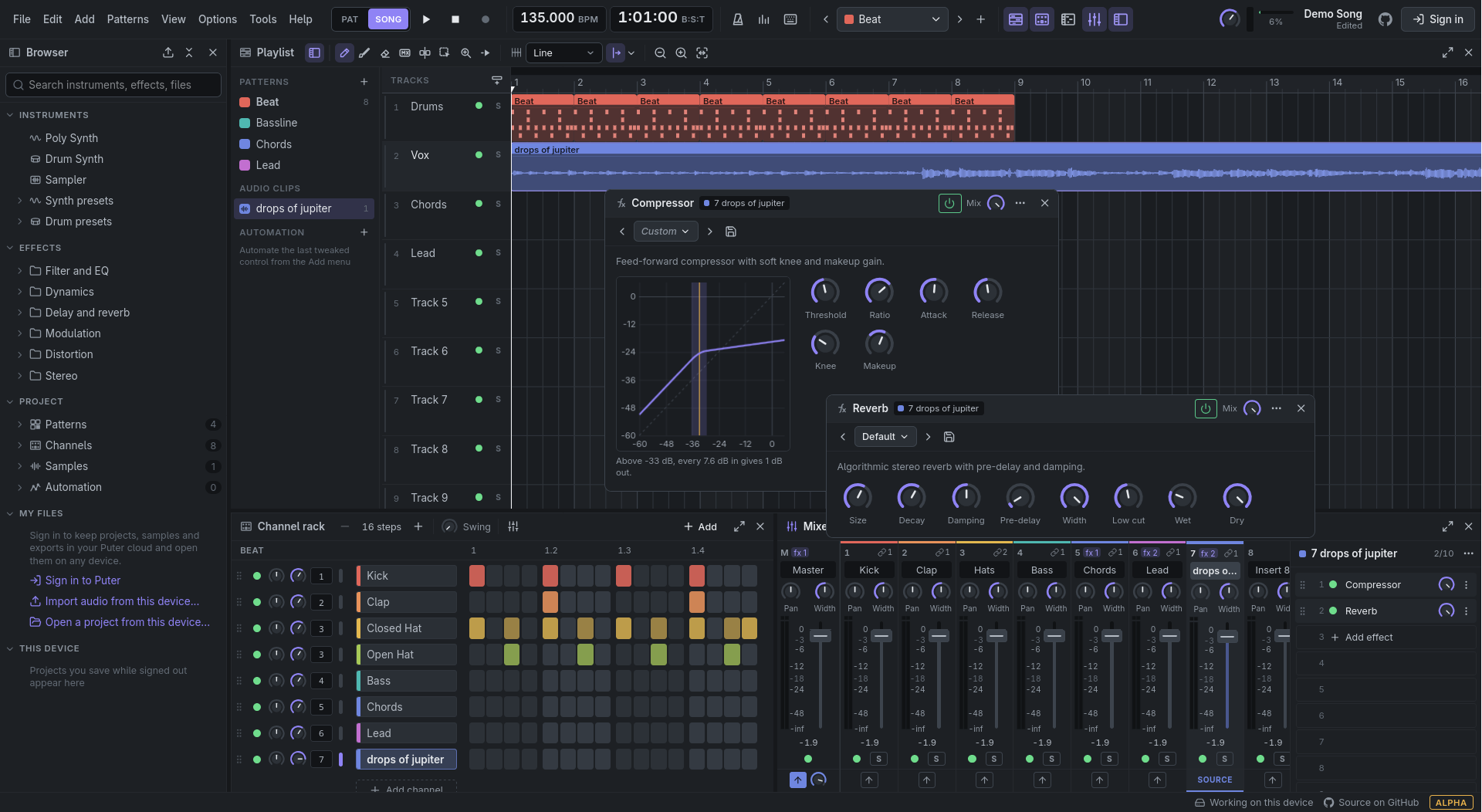
Even the export showed options to export the stems as well as MIDI files separately, which is a great feature to have. Out of all the three that I tested, the music studio worked most to my satisfaction.
Conclusion
There is a new trend in the developer world these days to reverse engineer everything with AI. Puter’s new project is part of the same trend.
The apps on The Everything Projects have their ups and downs but on the larger scale, they work incredibly well for the most part, giving features that almost match the professional level. At least for beginning professionals everywhere, who cannot afford expensive software, these apps are a great way to get things done.
It requires an account to access the AI features and to save the progress on projects unless you have an account, where you will probably need a Puter subscription because 25MB is too small a storage to actually get anything done.
That actually is understandable to avoid the service abuse but the 25 MB could have been 250 MB at least. In any case, self-hosting option is always there.
What do you think about this wave of reverse engineering apps and open sourcing them? Let us know in the comments. Cheers!
