
Taking On Red Hat? Ubuntu Now Has an Official SysAdmin Certification

Ubuntu launched Canonical Academy in October 2025. At that time, only one exam of its SysAdmin track was open to everyone. The rest were either in beta or were still being built.
That has changed now. Canonical has notified It’s FOSS that all four exams of the SysAdmin track are live:
- Using Linux Terminal
- Using Ubuntu Desktop
- Using Ubuntu Server
- Using DevOps Principles
Pass all four and you get the Canonical Academy SysAdmin qualification.
The first exam costs $100 and every exam after that costs $125. That puts the full track at $475 if you take all four.
To mark the launch, Canonical is offering 10% off any exam with the code ACADEMY10, valid until January 10. You can pay for the exams from the Academy shop.
Ubuntu certification exams
You take each exam online, in a browser-based Ubuntu environment. According to the exam guide, the exams are a mix of multiple-choice, scenario-based and hands-on tasks that you perform on a live system.
Man pages and the official Ubuntu documentation are allowed inside the exam environment, but you can’t open other tabs. The exams are proctored through Proctor360, so you’ll need a webcam, a microphone and a single display.
One thing to note here is that Chromium-based browsers are recommended for the exam and Firefox is not supported, which is a bit ironic for a Linux certification.
You can take the exams in any order. Each one runs between 75 and 120 minutes, and you get up to two retakes within a year.
Canonical has also put together a self-study page with preparation resources for each exam, along with the exam guide that explains the format and test-day rules.
Using Linux Terminal
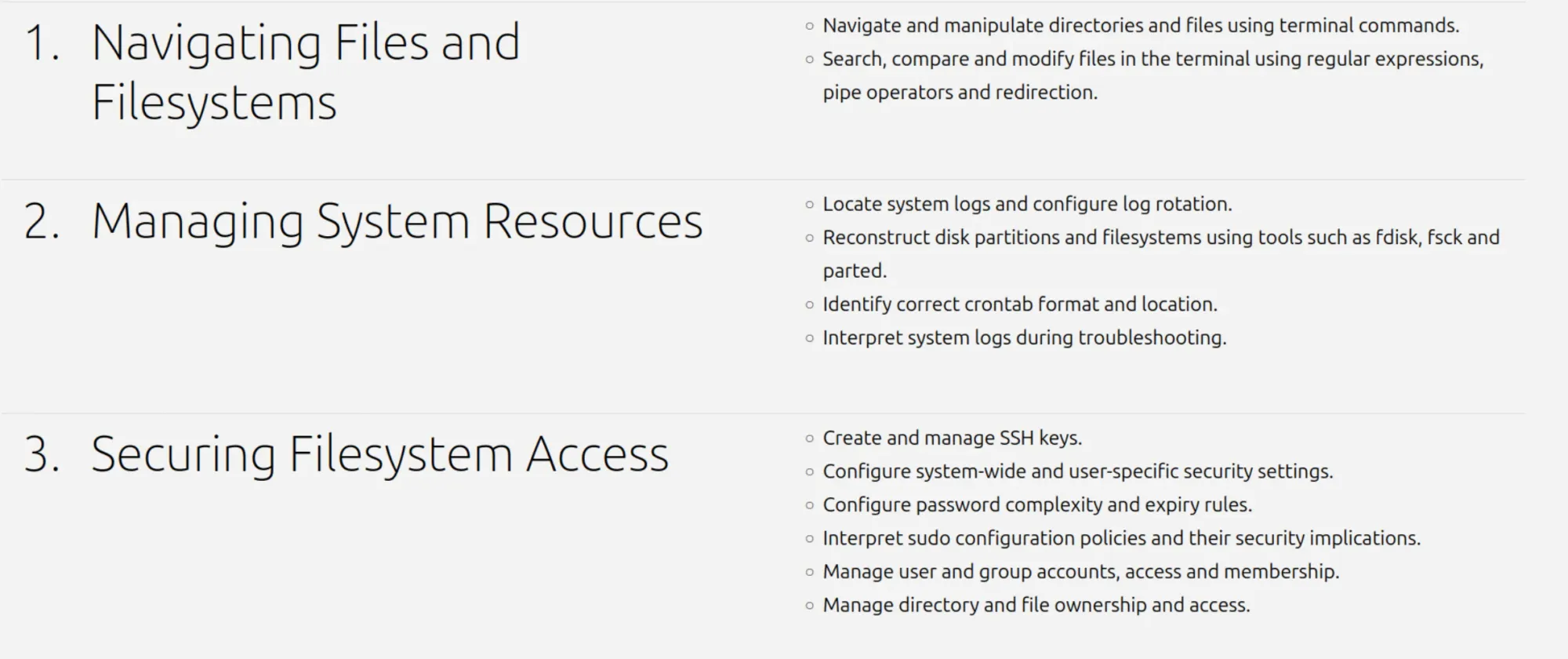
This 75-minute exam is the foundation of the track, and it’s where I’d suggest you start. It is also the easiest of them all, specially for beginners. It also gives you a good feel for how the hands-on exams work before you spend money on the others.
The exam covers moving around and manipulating files from the terminal, searching and modifying them with regular expressions, pipes and redirection. You also deal with system resources like logs and log rotation, cron jobs, and repairing partitions and filesystems with tools like fdisk, fsck and parted.
The security part covers SSH keys, users and groups, file ownership and permissions, password rules and sudo policies. This is absolutely mandatory Linux knowledge for any sysadmin, and you probably already know a good chunk of it if you use Linux daily. Still a certification exam is a good way to test your knowledge, specially when you cannot use internet or AI assistance.
Using Ubuntu Desktop
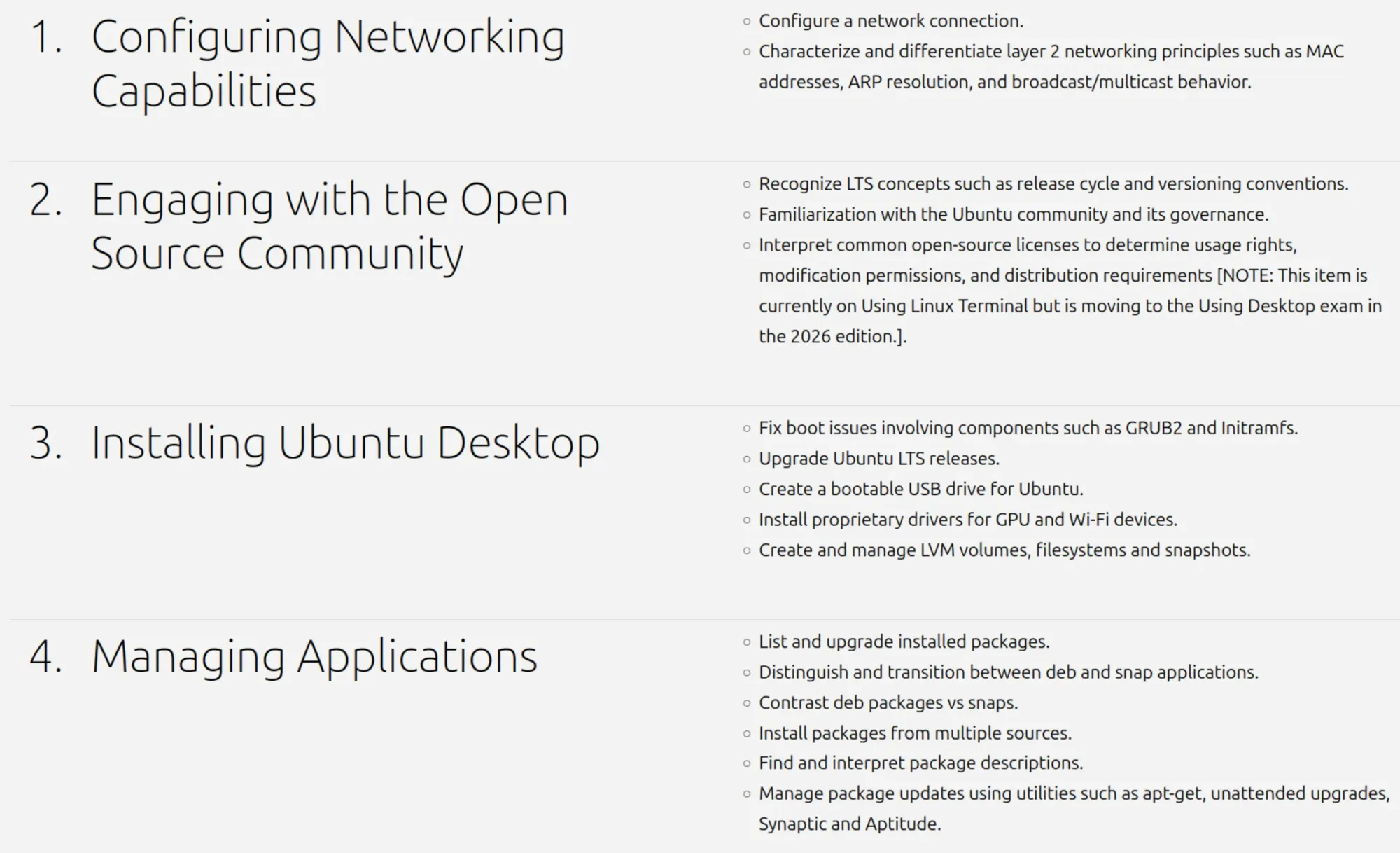
This 90-minute exam is more Ubuntu-specific. It covers installing Ubuntu, creating a bootable USB, upgrading between LTS releases, installing proprietary GPU and Wi-Fi drivers, and fixing boot problems with GRUB2 and initramfs. LVM volumes and snapshots are in there too.
A big part is application management, from apt and unattended upgrades to the difference between deb and Snap packages. You also get networking basics like configuring connections and layer 2 concepts such as MAC addresses and ARP.
The security section touches on PKI, file permissions with ACLs and joining an Active Directory domain. There’s even a small section on the open source community, covering the LTS release cycle and Ubuntu’s governance.
Using Ubuntu Server
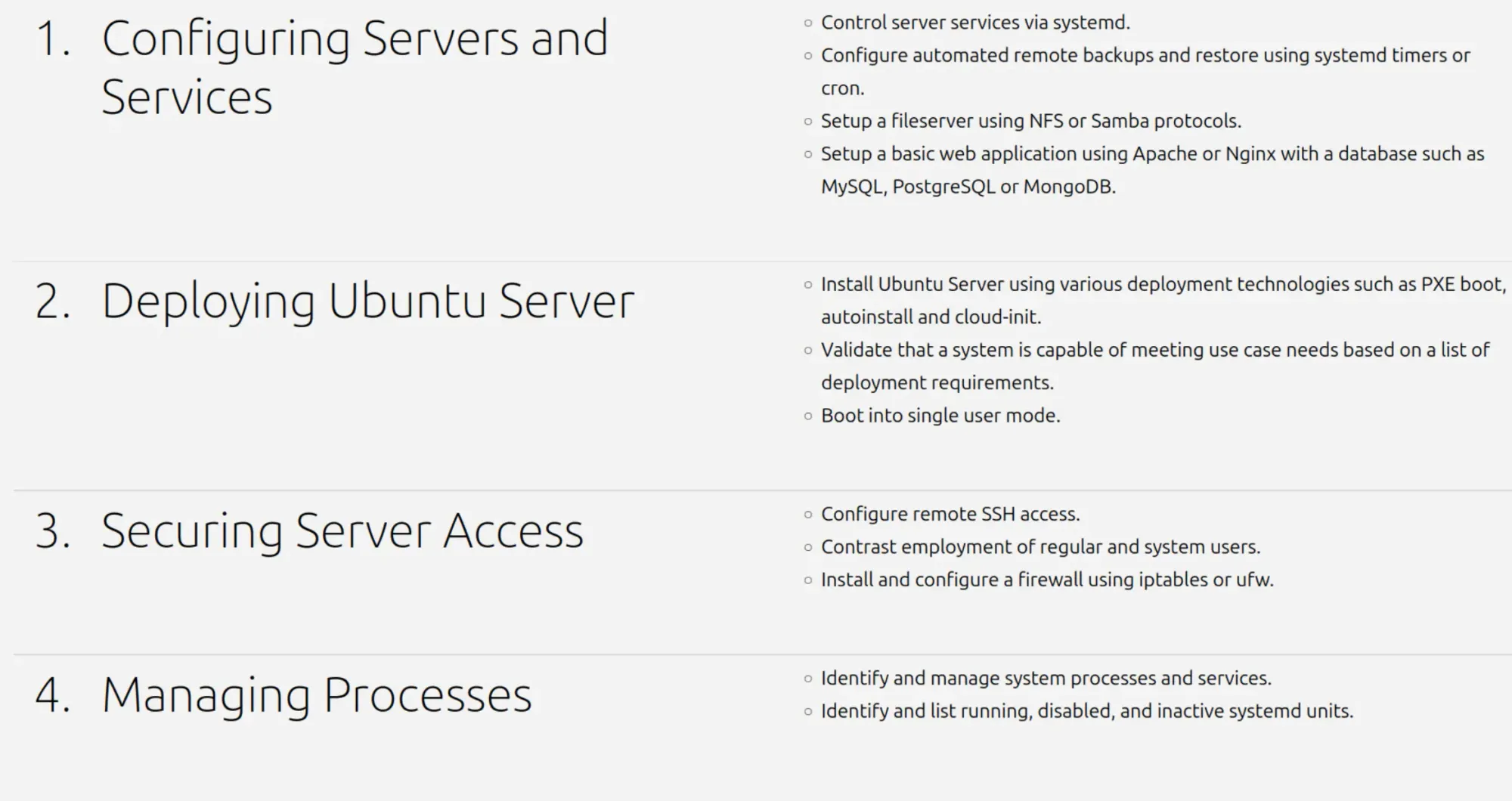
This is also a 90-minute exam where the server side of things comes in. You are tested on deploying Ubuntu Server with PXE boot, autoinstall and cloud-init, and on booting into single-user mode.
You’ll also manage services with systemd, set up automated backups with systemd timers or cron, run a file server with NFS or Samba, and put together a basic web app with Apache or Nginx and a database like MySQL or PostgreSQL. On the security side, there’s SSH access and firewall setup with ufw or iptables.
Using DevOps Principles
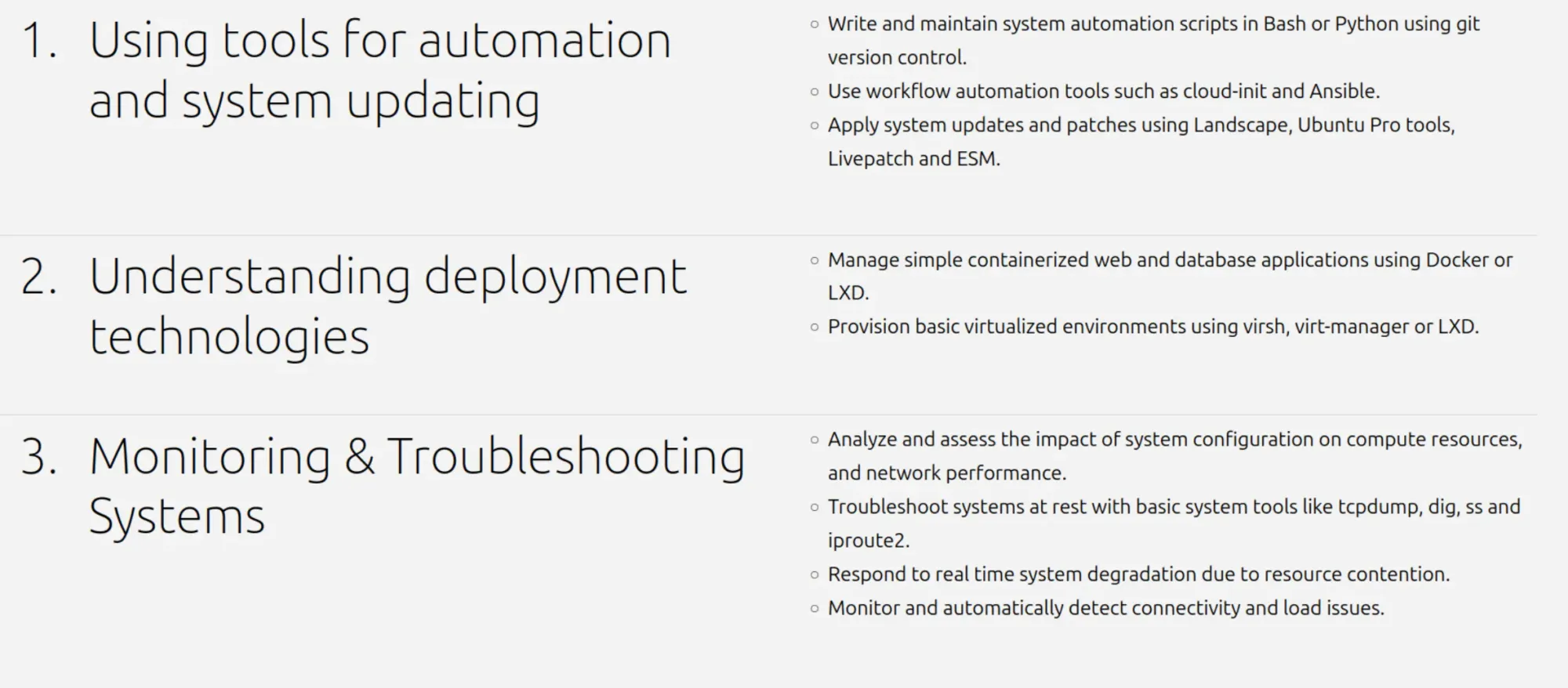
This is the newest exam and also the longest, with estimated time ranging from 90 to 120 minutes. It covers automation scripts in Bash or Python kept in Git, and tools like cloud-init and Ansible.
You also work with containers and virtual machines using Docker, LXD and virsh. Patching through Canonical’s own tooling, such as Landscape, Livepatch and Ubuntu Pro, is part of it.
The last section is about monitoring and troubleshooting, using tools like tcpdump, dig, ss and iproute2, and dealing with systems slowing down under load.
The full list of topics and their weightage for each exam is available on the exam content page.
Why Ubuntu certification?
Ubuntu is not just a desktop distro. It’s one of the most widely used Linux systems on servers and in the cloud, so it makes sense for Canonical to offer certifications for using its own system.
Red Hat has been doing this for years with its RHCSA certification and others. Ubuntu is late to the party, but better late than never.
It also strengthens Canonical’s position in the enterprise world. A recruiter can now see whether a candidate can actually handle Ubuntu servers and systems. That could work as a requirement for entry-level jobs. It could also work as a way for employers to train their existing staff and improve their skills.
That said, keep your expectations real. The exams are not costly, but they are also not as in-depth as the Red Hat ones from what I see.
There is no clear information on how long these certifications will be valid. I think it’s two years, but that’s just my guess.
As I mentioned earlier, use coupon code ACADEMY10 to get 10% discount. It’s valid till January 10, 2027.
If you have been waiting for the full track before committing, now is a good time, especially with the discount running till January. Start with the terminal exam and decide on the rest after that. Some companies have mandatory skill improvement programs, so you can also ask your employer to pay for the certification.
