
Type With Your Voice on Linux Using These Open Source Local AI Tools
Typing is a fine way to write and a slow way to catch a thought. The most ground-breaking ideas show up while your hands are busy with a soldering iron, a sleeping cat, or a half-eaten taco.
Voice input apps overcome that problem because you talk, and it turns your speech into text.
Most of the apps in this list are open source, run on Linux, and drop the text into whichever window has focus. That could be a browser tab, a terminal window, or a notes app.
Because most of them can run the speech recognition locally on the machine, nothing you say gets sent anywhere.
1. Speech Note
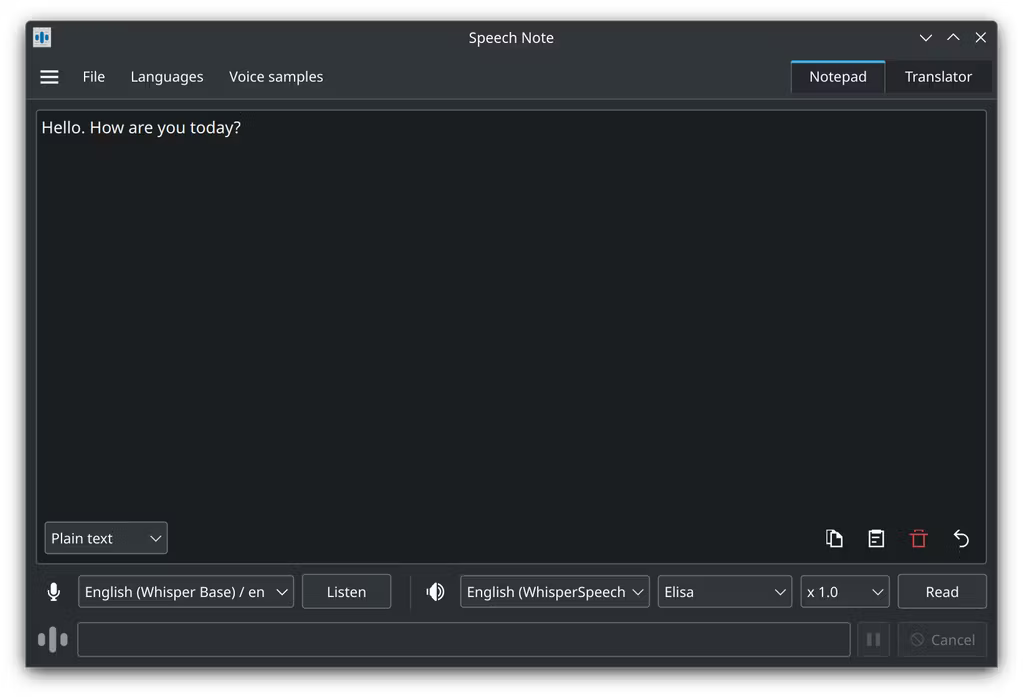
ydotool daemon installed and running.If you want dictation, reading aloud, and translation in one app, Speech Note covers all three. Your dictated text becomes a note that can be translated or read back to you.
You get a choice of recognition engines, including whisper.cpp with Parakeet, Vosk, and Faster Whisper. The language models for each engine are separate downloads that you pick from inside the app.
Dictating into other apps is also possible with a global shortcut or a command-line action starting the listening process. The text lands wherever the cursor is focused.
Speech Note is released under the Mozilla Public License 2.0 and can be installed from Flathub, the AUR, or openSUSE’s Packman repository.
2. Myna
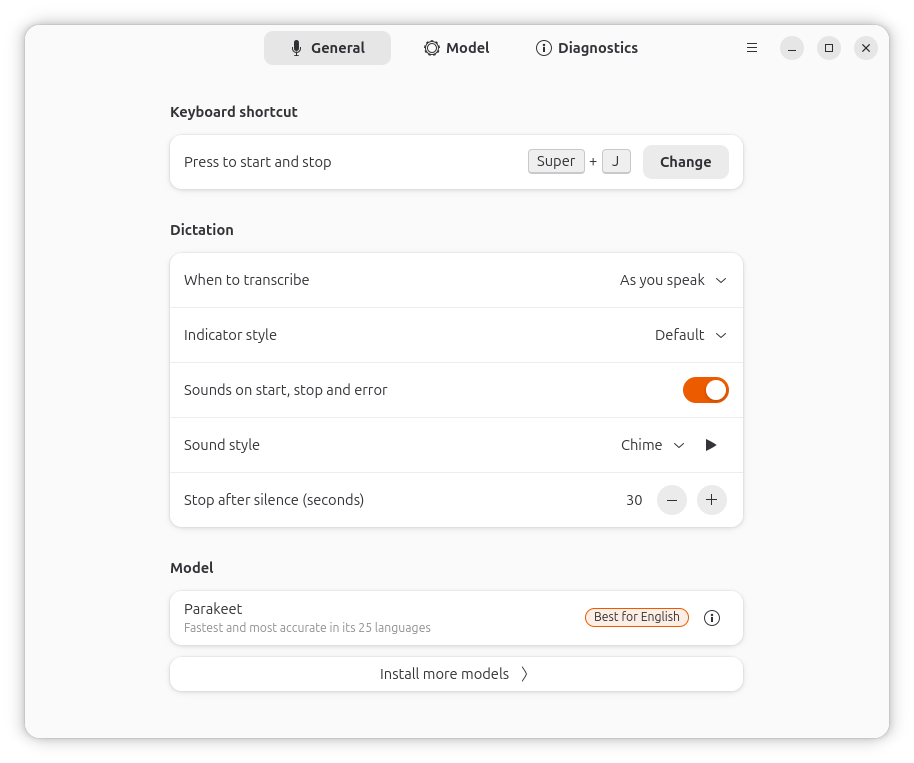
Myna is Canonical’s dictation app for Ubuntu Desktop, released under the AGPL-3.0-or-later license. Recognition runs locally, and the models are packaged as separate snaps for Whisper, Parakeet, FunASR, Nemotron, and IndicConformer.
Setup starts with a PPA and the myna-config package. Myna Settings then handles the rest, from installing the models and desktop components to binding the dictation key.
It supports Ubuntu with GNOME on Wayland from 24.04, Xubuntu 24.04 with Xfce on X11, and Kubuntu with KDE Plasma 6 on Wayland from 26.04.
The PPA 👇
sudo add-apt-repository ppa:canonical-desktop-team/myna
sudo apt install myna-config3. TuxTalk
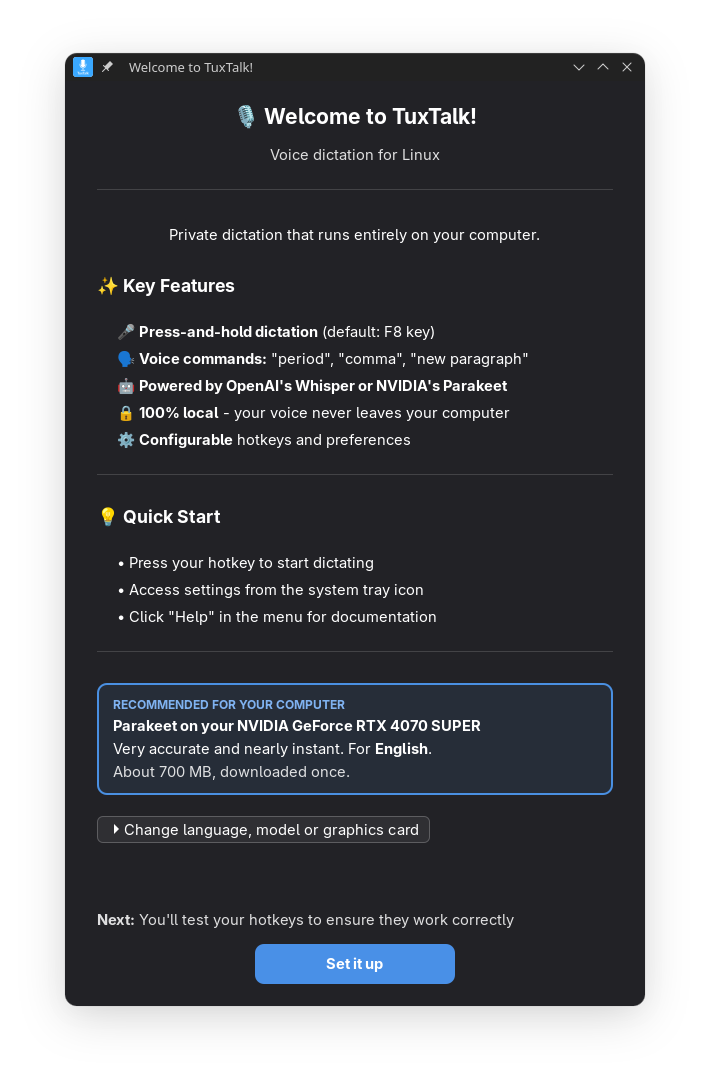
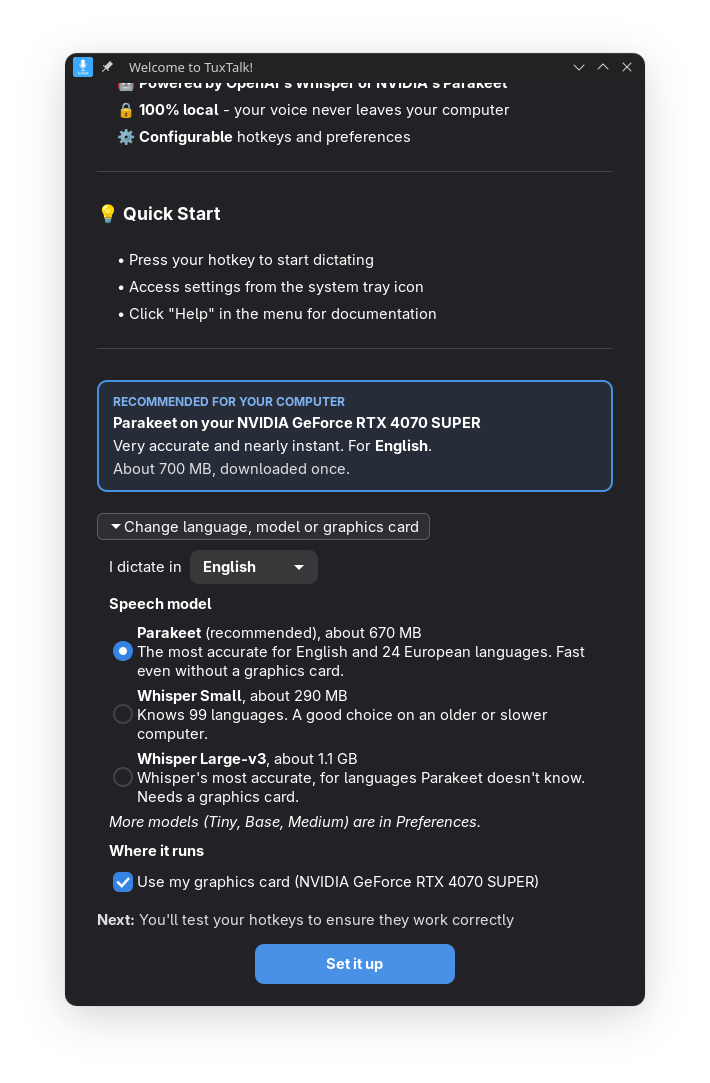
TuxTalk is a push-to-talk dictation app that was known as TalkType before its rename. Its lead developer uses Claude to write the code while they handle the testing themselves.
You hold F8 to talk or tap F9 to start and stop, and the transcript is typed wherever your cursor is. It covers X11 sessions as well as popular desktops like GNOME, KDE Plasma, COSMIC, Sway, and Hyprland.
Whisper covers over 90 languages, while the default Parakeet model handles English and 20+ European ones. TuxTalk also understands spoken punctuation and email addresses.
It can be installed from the AUR, as a .deb or .rpm package, or as an AppImage, and the code is MIT-licensed.
4. Vocalinux
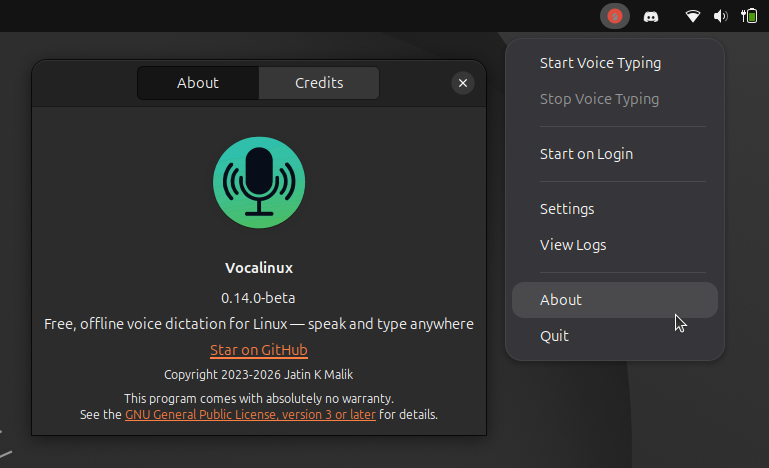
Vocalinux is a dictation app for X11 and Wayland, released under the AGPL-3.0 license, with a long list of ways to install it. There is an installer script, an AppImage, .deb and .rpm packages, a Flatpak, a Snap, an AUR package, a PyPI release, and a Nix flake.
After the model download, recognition runs locally on whisper.cpp by default, and you can switch to Whisper, Faster Whisper, VOSK, or Parakeet from the settings menu.
The project recommends using its interactive installer, which picks an engine for your hardware and downloads a default model of about 74 MB.
5. WhisPaste
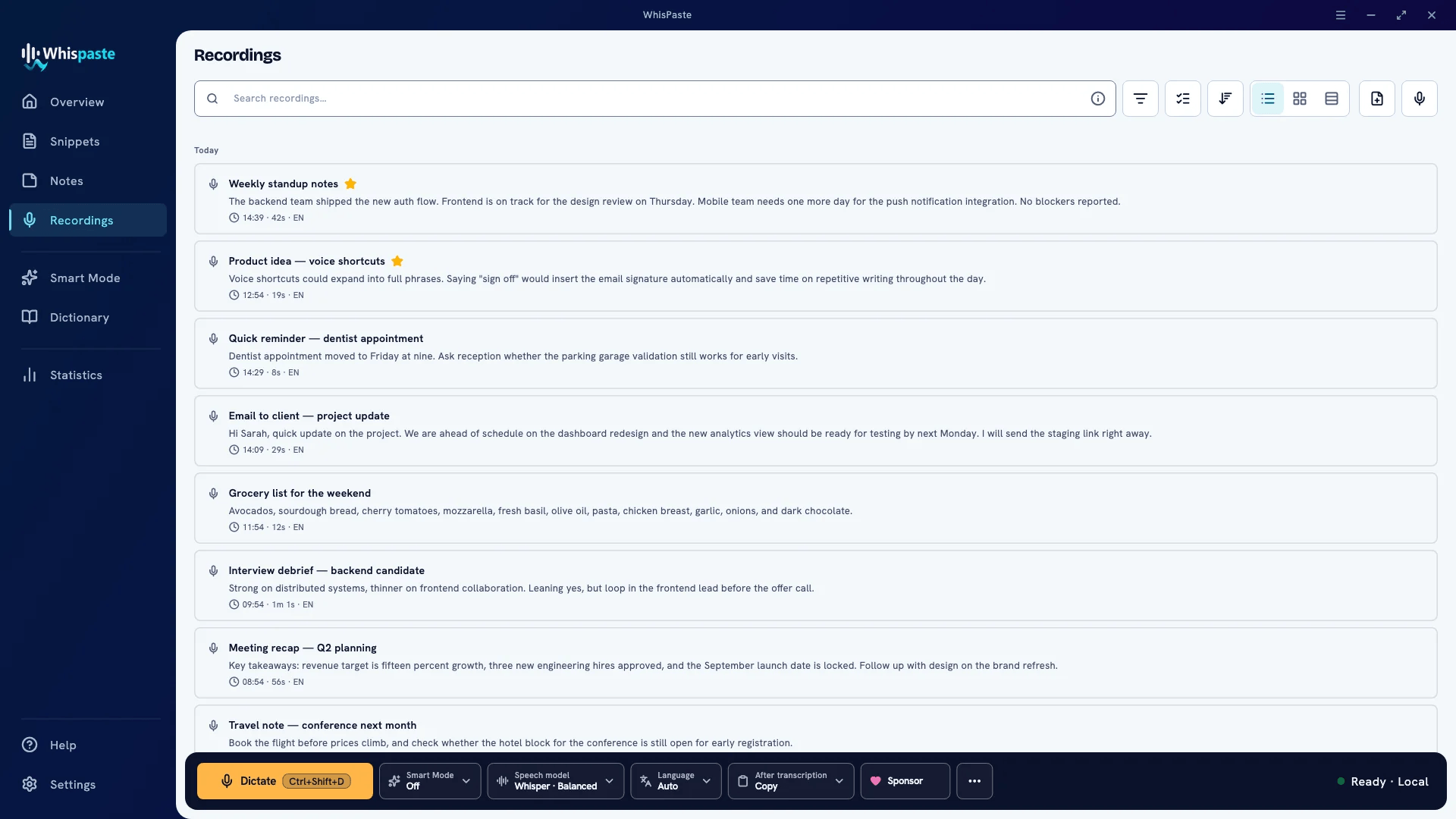
Everything in WhisPaste starts with one hotkey, Ctrl+Shift+D, that you hold to talk or tap to toggle. A small waveform overlay confirms the microphone is live, and the transcript is pasted into whichever app you are working in.
It is MIT-licensed and runs recognition locally through Whisper, with support for over 90 languages, or Parakeet, with about 25 languages supported. OpenAI and Deepgram are optional cloud providers, and no account is needed to use WhisPaste.
Each dictation is saved to a searchable history with tags and several export formats, including DOCX. You can also dictate into a notes page, and spoken trigger phrases expand into snippets or multi-field templates.
6. Hyprwhspr
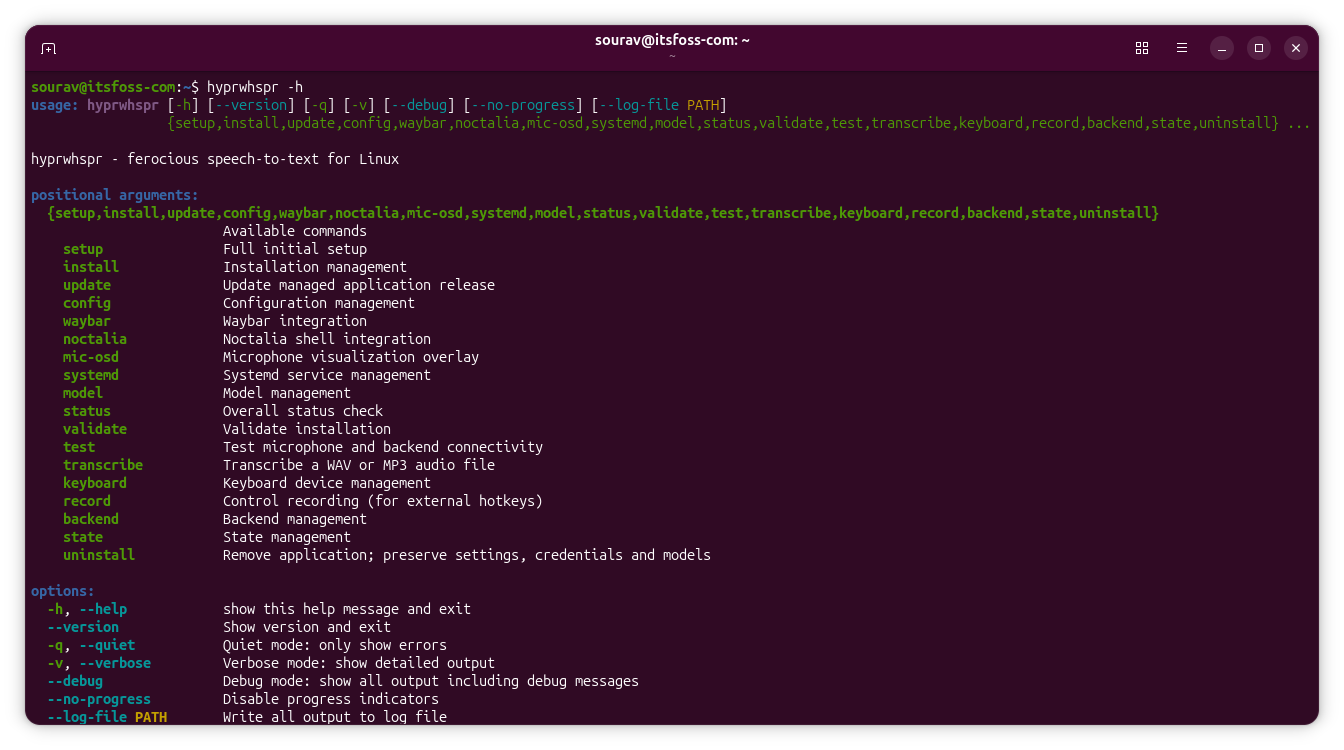
hyprwhspr treats dictation as something you can script. A command-line interface can start, stop, toggle, or cancel a recording from anywhere, and a post-transcription hook lets a command of your own handle each transcript before it reaches the window.
Recognition runs locally by default with Parakeet TDT V3, Cohere Transcribe, or any of the Whisper models, and onnx-asr is there for machines without a GPU.
It detects NVIDIA CUDA or AMD and Intel Vulkan on its own, falls back to the CPU, and can unload the model from VRAM without a service restart. Cloud providers such as Gemini, OpenAI, and ElevenLabs are also available.
7. Hex
Another one in the list that lets you dictate to your Linux desktop with voice. Hex is open source, works with Parakeet for English language by default and also provides the option to download and use Cohere Transcribe and Whisper models.
This is more of a dictation tool, actually. It keeps a history of what you recorded. You can take notes or at least see what dictations you used earlier. All these things stay on your system, locally.
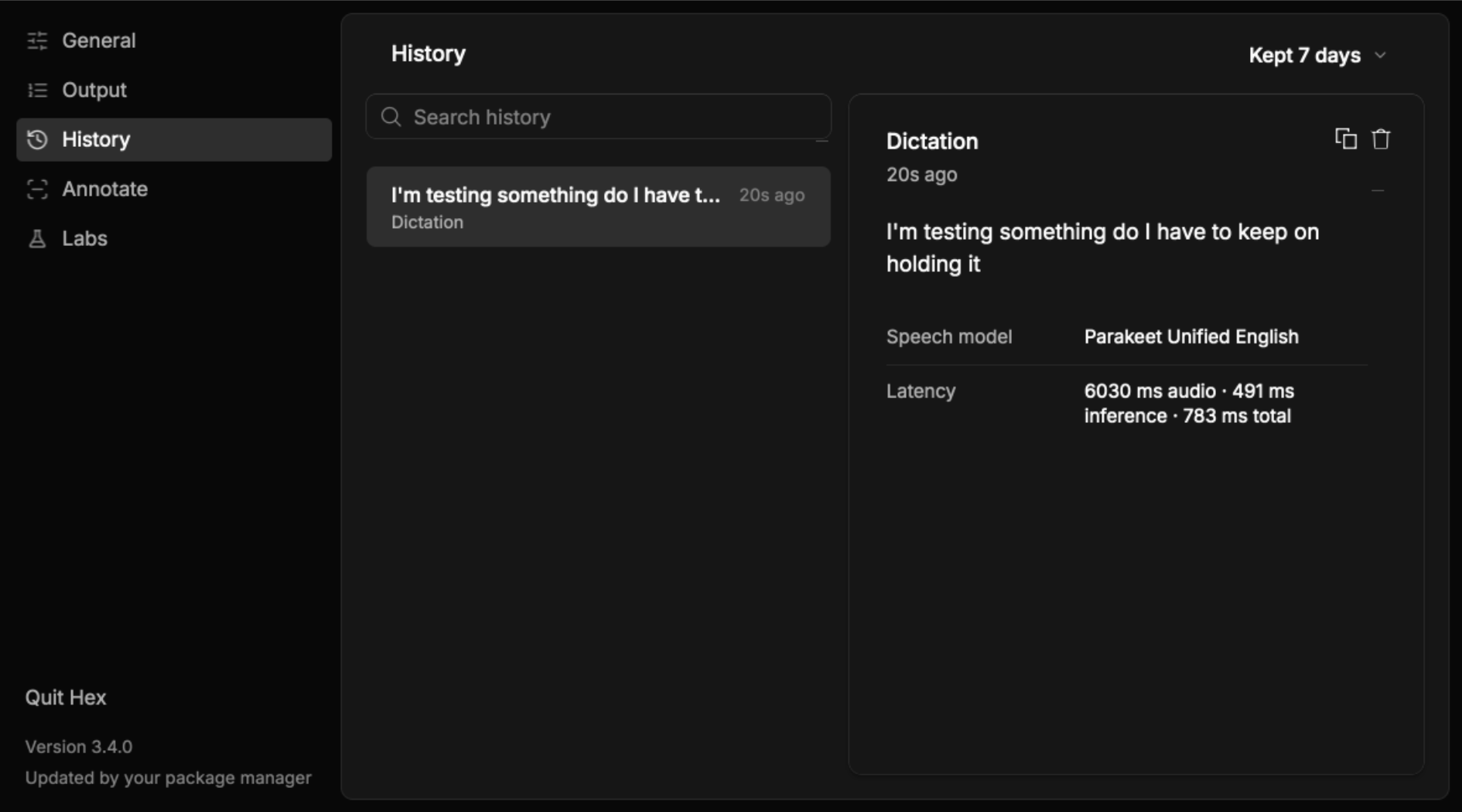
What you last recorded, can be stored in the clipboard so that you can copy paste it easily, when needed. So unlike Myna, it is not entirely for voice-based input. It’s for taking notes by dictation.
There is an option for adding your own vocabulary. Meaning, you can record unusual words, tell the model what it sounds like and what it should transcribe.
Hex also offers a screen recorder with voice annotation. I have not tried this feature yet, but this is something we will be covering on It’s FOSS in detail.
Expect More
AI-assisted development has moved fast enough lately that a software category can look settled one month and crowded the next. Voice input on Linux is no exception, and new apps will keep showing up.
Some of those will take approaches that none of the picks above do. If one catches your eye before this list gets updated, do let me know in the comments below. 👇
