
Linux Mint Teases A Kernel Cleanup Trick That Fedora Figured Out Years Ago
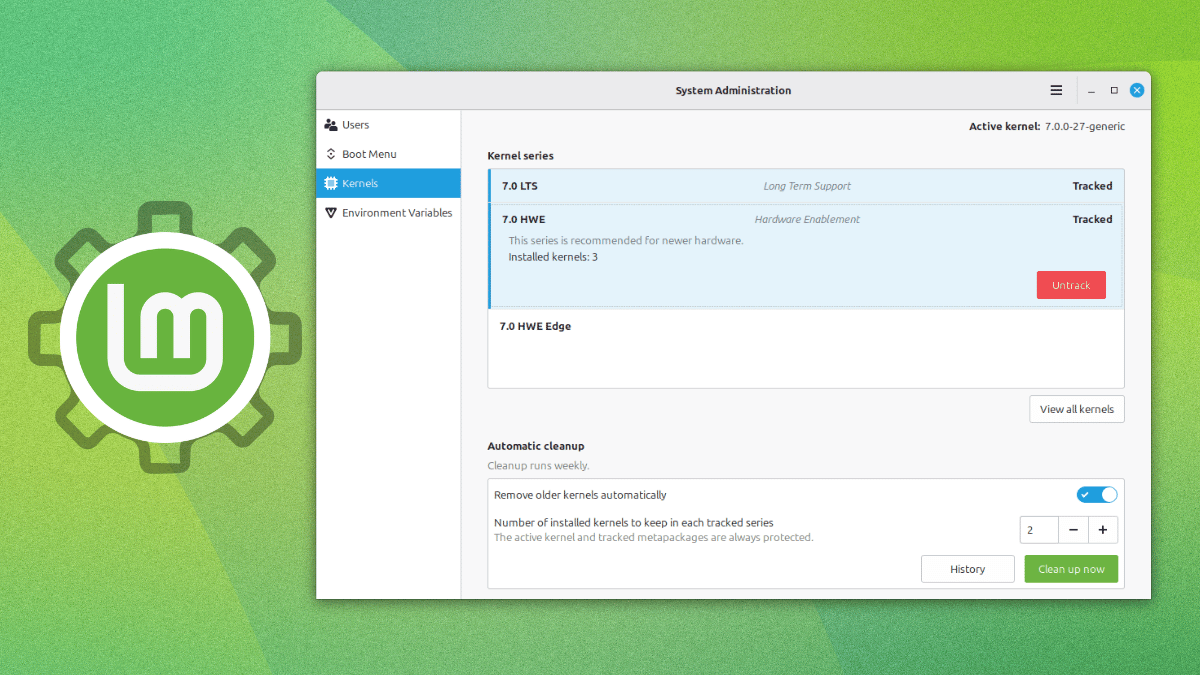
The Linux Mint project regularly puts out monthly news that gives us a look at what the developers are working on and where the overall project is headed towards.
Their July update has shown us how the distribution intends to handle kernels going forward, moving the entire job out of the Update Manager and into a different tool altogether.
A new feature?
Source: The Linux Mint Blog
Yes, and no. Kernel management isn’t new, as in the past, Update Manager has let users view and remove individual kernels, but that functionality was removed.
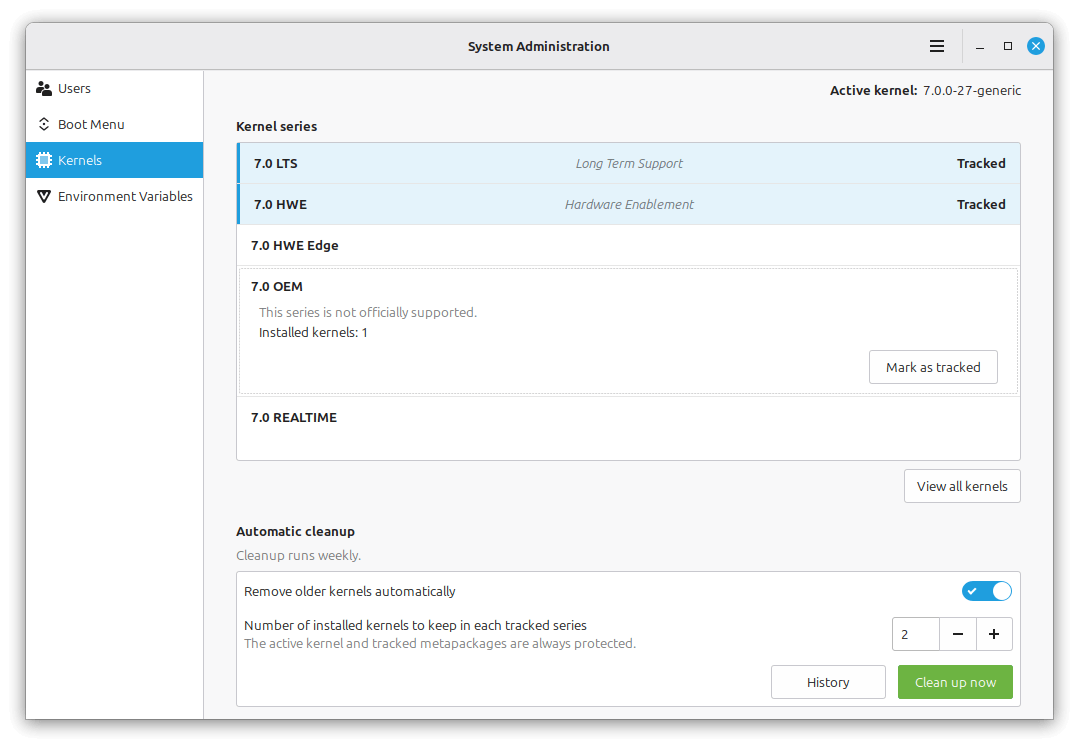
The new implementation sits inside the System Administration tool instead, and it’s built to behave the same way whether you’re on Linux Mint or LMDE.
Instead of tracking individual versions one at a time, the new “Kernels” page inside System Administration groups multiple kernel versions according to series. Setting up the tool is a one-time choice of you telling it which kernel series matter to you and how deep a backlog to hold onto for each one.
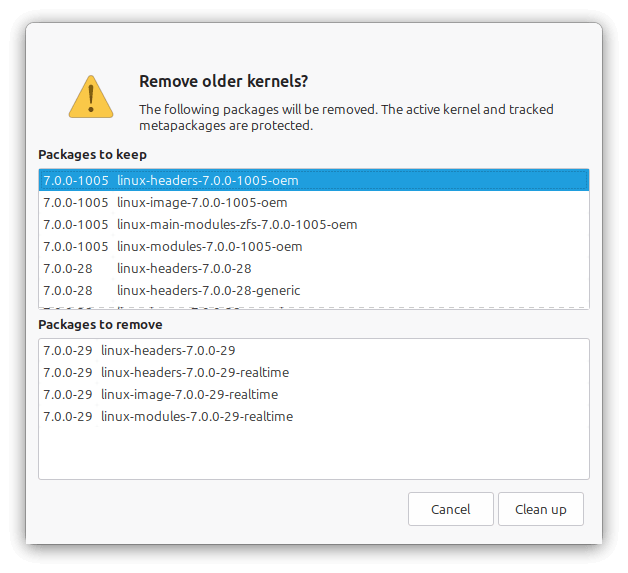
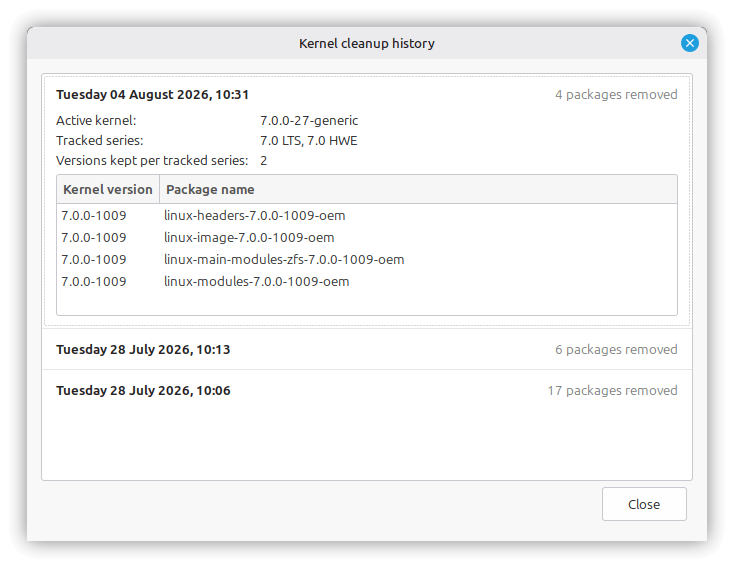
Everything downstream runs on its own after that. The series you’re following keeps updating through Update Manager the same way they always have, while anything past your set limit gets thrown out during a scheduled pass once a week.
Manual cleanups are possible too for times when you want to quickly free up some space to accommodate other content. Individual kernels can also be marked “Protected,” which keeps them off the chopping block regardless of whether their series is tracked or how old they are.
Before you go looking for this on your own system, know that it isn’t live yet.
Linux Mint project lead Clement Lefebvre has said that this is a preview of what’s coming to the next Mint release.
Fedora has this already
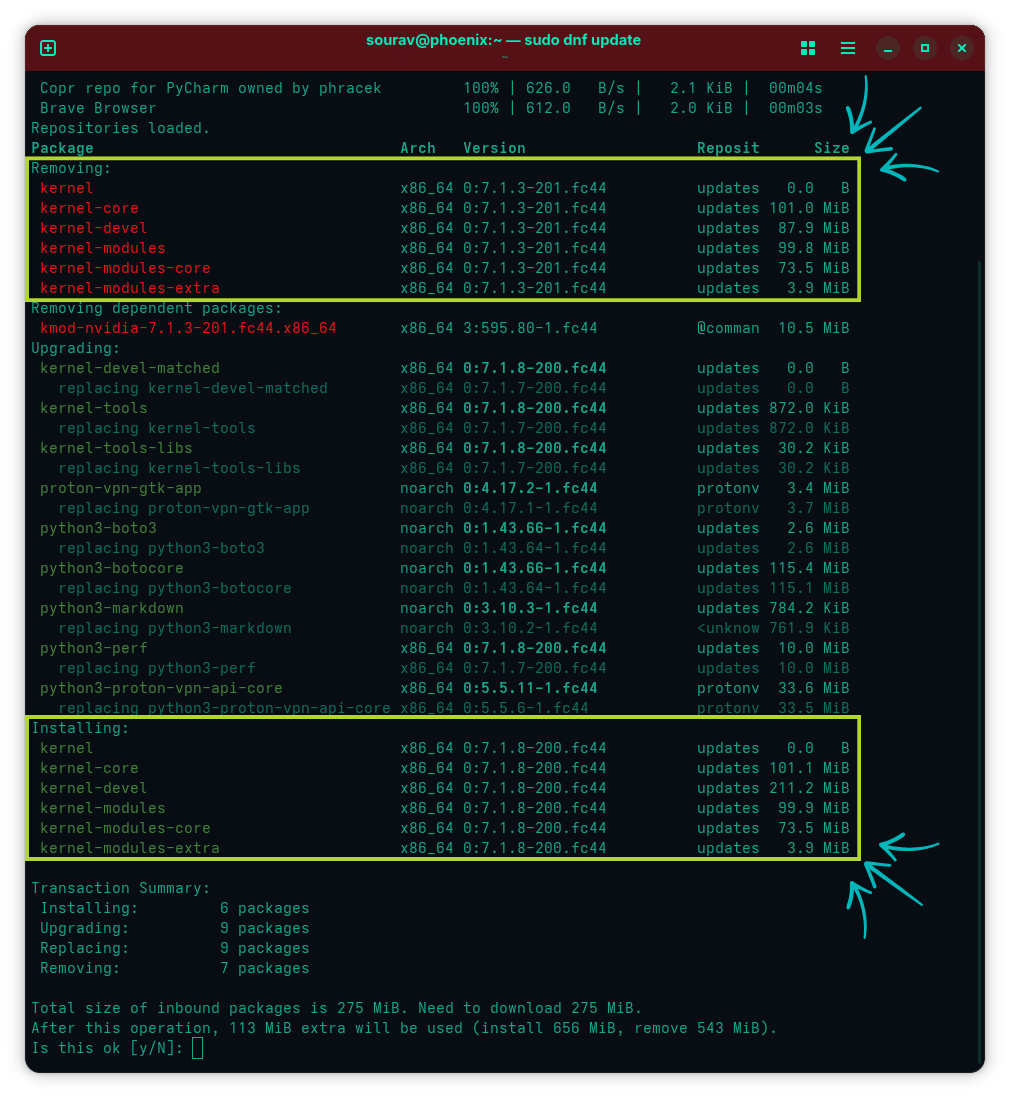
I understand that Linux Mint has had to reimplement their solution, but Fedora has had this problem solved for years. Its DNF package manager has done this by default the whole time.
The setting behind it is called installonly_limit, and it defaults to 3. Only the three most recent kernel builds stay installed at any given time. Whenever a new kernel comes in through a regular update, DNF removes whatever falls outside that limit as part of the same transaction.
There’s no separate scheduled job behind it, unlike Mint’s new weekly cleanup. It only runs when you actually update, so a kernel installed outside DNF’s normal flow would just sit there untouched.
The two approaches end up solving a similar problem in different ways. Fedora’s is a flat, always-on limit tied directly to the update transaction. Mint’s new implementation, once it ships, would hand you more direct control instead.
Kernel management wasn’t the only thing in Mint’s July post. The team also shipped new HWE ISOs for Linux Mint 22.3, this time built on Linux 7.0, and Fcitx5 support lands in Cinnamon, running the same way across Wayland and X11.
For the full rundown, including the new environment variables page and the panel fixes, the original blog is a must-read.
Suggested Read 📖: In related news, Linux Mint now considers Wayland stable enough for inclusion in its next release, due Christmas.
