
Meet Melia: A Privacy-First, Modern Desktop Email Client Made Just for Linux
Every once in a while, a project comes that is very adamantly heavy on its principles and it is always a breath of fresh air in a world where corporate greed forms the basis of all the services we use.
This time it is for a service that is extremely basic and essential, e-mail.
There are a few email clients for desktop Linux already. Thunderbird, Evolution, Geary, to name a few.
I am not saying that they are not good but there is always scope for improvement and new features. And Melia does just that. It brings some additional features, a privacy enthusiast will appreciate.
What Makes Melia Different?
Let’s see what makes Melia so special.
Local and offline
All e-mails on the application are stored locally in a SQLite database, which means you don’t have to run around with your internet connection, waiting for your data to sync. Even the credentials are stored in the OS keyring (where your OS account passwords are stored), which makes it as safe as it gets from online cyber attacks.
Supports 32+ services
There are 32 pre-programmed presets for most of the common e-mail providers such as Gmail, Outlook, Yahoo, Protonmail, iCould and so on. You need to ensure the allowance of an SMTP connection from the plan that you have on your particular service, however.
Contact management
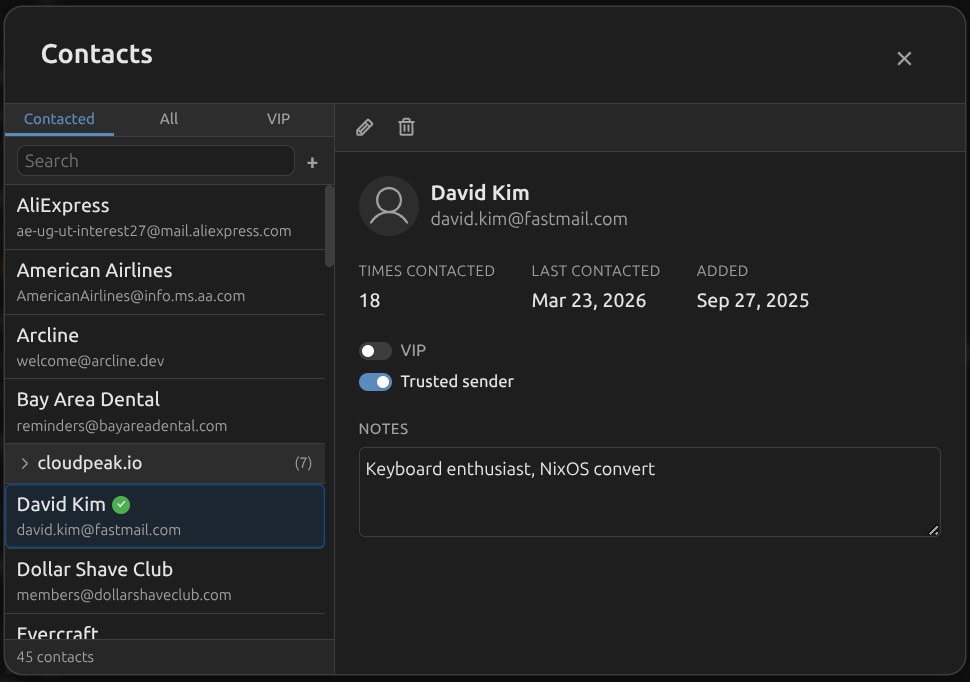
If you are particular about managing the contacts, Melia builds the address book automatically from sent and received emails. You can edit it and organize it as you want. It also helps with instant autocomplete when composing a mail. You also get stats on each contact.
Rules for a more organized inbox
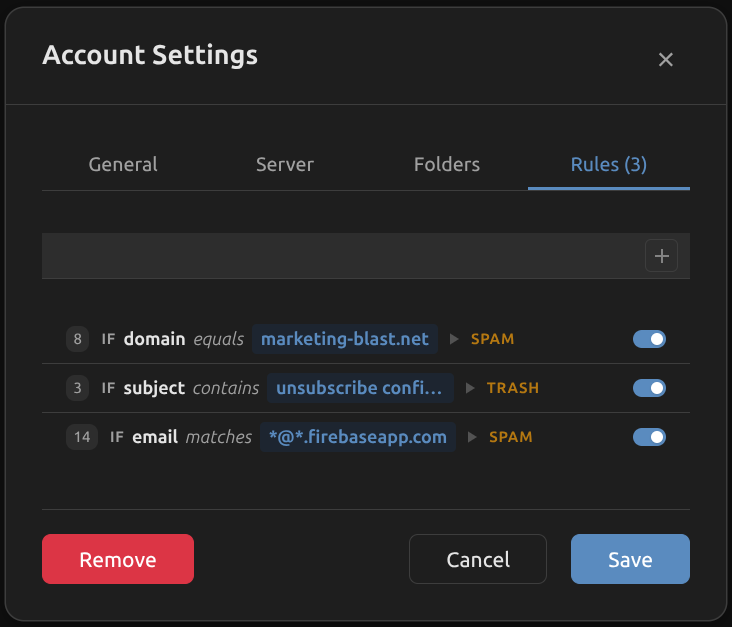
Get statements from your bank, boring but good to keep for the future? Create a rule and send it automatically to a folder. Your inbox remains clean, and the emails are preserved.
There are many more ways to use the rules and organize the inbox on Melia.
Proper HTML email rendering
HTML-based emails are everywhere, and they need to be displayed the same way they are intended to. Melia uses Shadow DOM isolation, intelligent dark mode transformation, and post-render quality audits to display your favorite newsletters, like FOSS Weekly, beautifully.
Search across accounts
There’s a unified full-text search that can find anything across all the accounts that you’ve added to the client at blazing fast speeds (especially considering all the e-mails are available offline).
Privacy and Security Take Center Stage
There are some really great security features, solving some issues, which I admit didn’t even know were issues. The entire focus is on security with verifiable zero telemetry, and privacy instead of analytics, such as:
Tracking pixels neutralized
Some services use tracking pixels to mark e-mails as read back to the sender. The tracking pixels are thus neutralized on Melia, preventing a great deal of invasive telemetry.
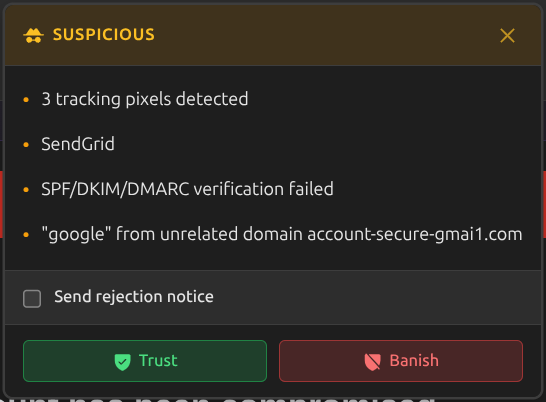
Automatic suspicious sender flagging
The senders whose names don’t match with the ones assigned to the address are automatically flagged, preventing a lot of scam/spam e-mails that one might receive.
Message authentication
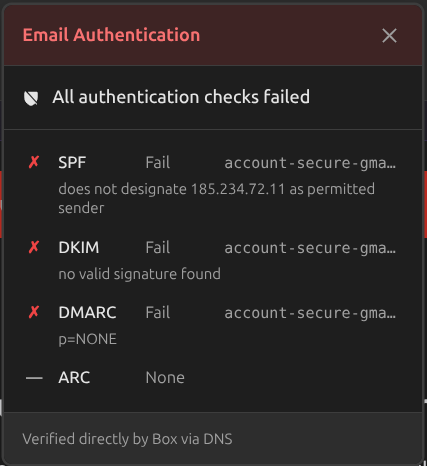
All e-mails received are authenticated against SPF, DKIM, and DMARC to ensure nothing falls through the cracks.
One-click unsubscribe
The worst part of being spammed by a service is getting unrequited e-mails all day annoyingly. Good news is that you an unsubscribe them with just one click, making the whole process much easier.
There are still more minor features, all of which you can check out here.
Transparency You Don’t Usually Get in Email Clients
Apart from the privacy features, Melia prides itself on the transparency it provides to the users. What contributes to that? I’m glad you asked:
Trust center
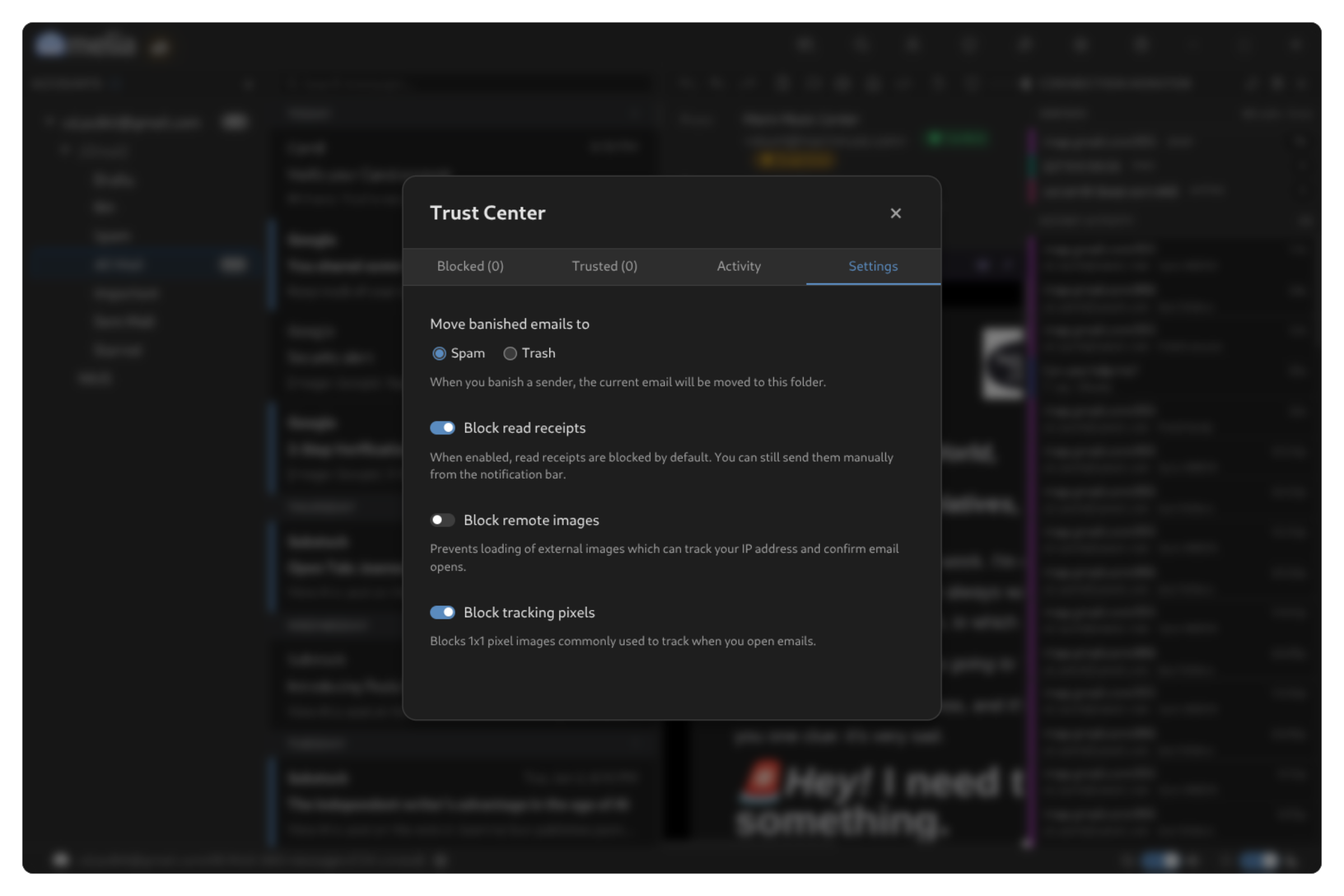
There’s an inbuilt Trust Center, which allows users to block or restrict the activities of the senders, giving you the option to block out e-mail addresses or entire domains, with a full activity log and statistics of all changes made to block or trust any sender.
Connection monitor
The Connection Monitor feature that shows exactly what server the information is coming from or going to in real time, making it as clear as possible that Melia only talks to the servers.
A Simple, Familiar Interface
Melia is built on Electron, which means the interface will translate consistently to any distribution you might want to use. Some will scoff at Electron but it does provide a rather beautiful graphical interface, in my opinion.
They have a full explanation as to why they chose Electron despite the bad rep it gets, and their answer is satisfactory considering it works well, safe, and “claims to keep the RAM usage within 250MB”.
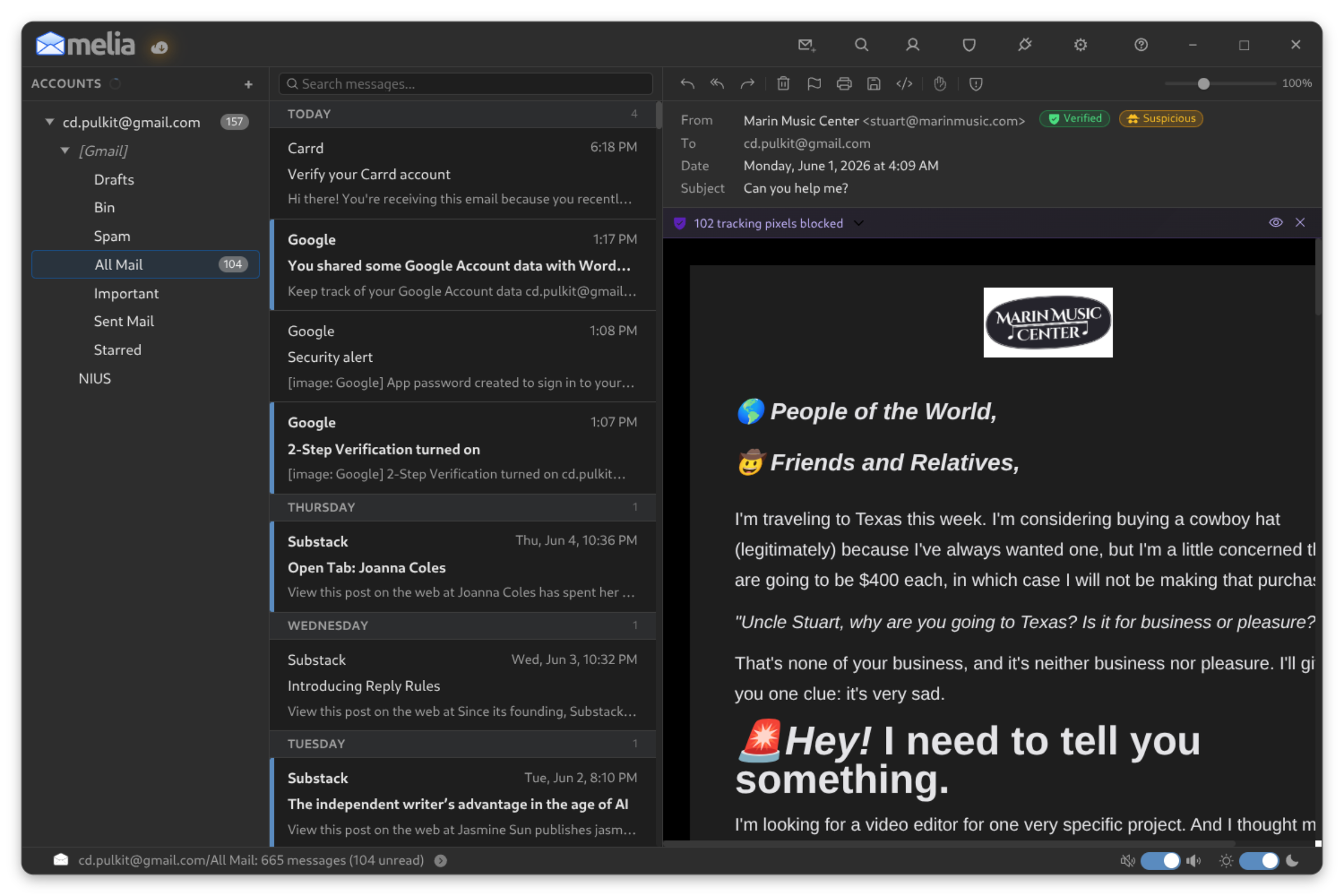
The interface itself is slick and simple. There are 2 vertical panels: account list and categories, list of e-mails on the selected category, and the e-mail itself. There’s a possible fourth panel if you open the Connection Monitor.
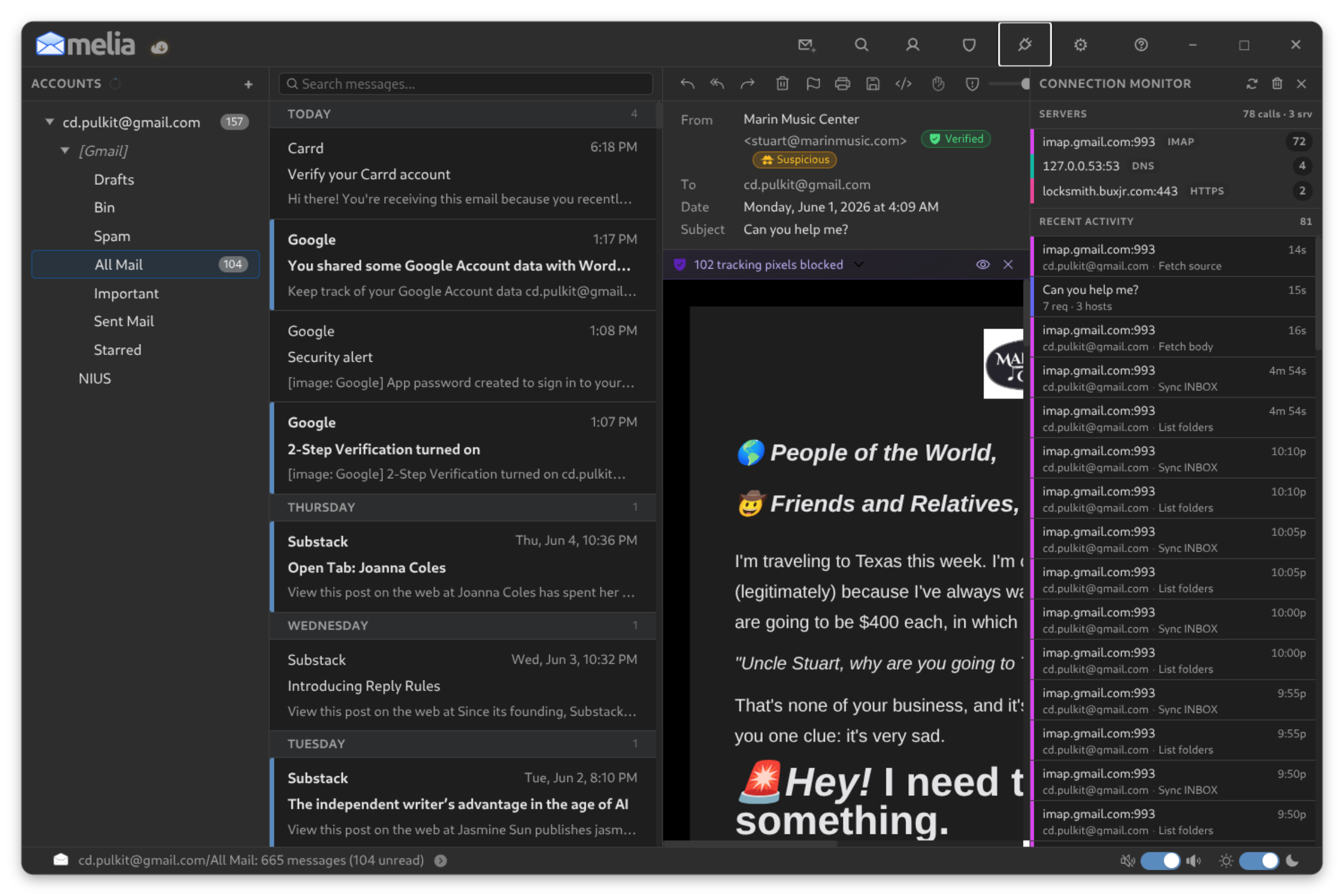
It comes with two inbuilt themes, dark and light, and both are easy on the eyes. Theme can be switched manually or automatically based on your system theme. There are several buttons on top to easily access some of the features, like creating a new e-mail, search, contacts, Connection Monitor, Trust Center and settings. Speaking of which, the settings provide some very simple options, such as:
- Theme, and list density
- Import/export options
- Font settings
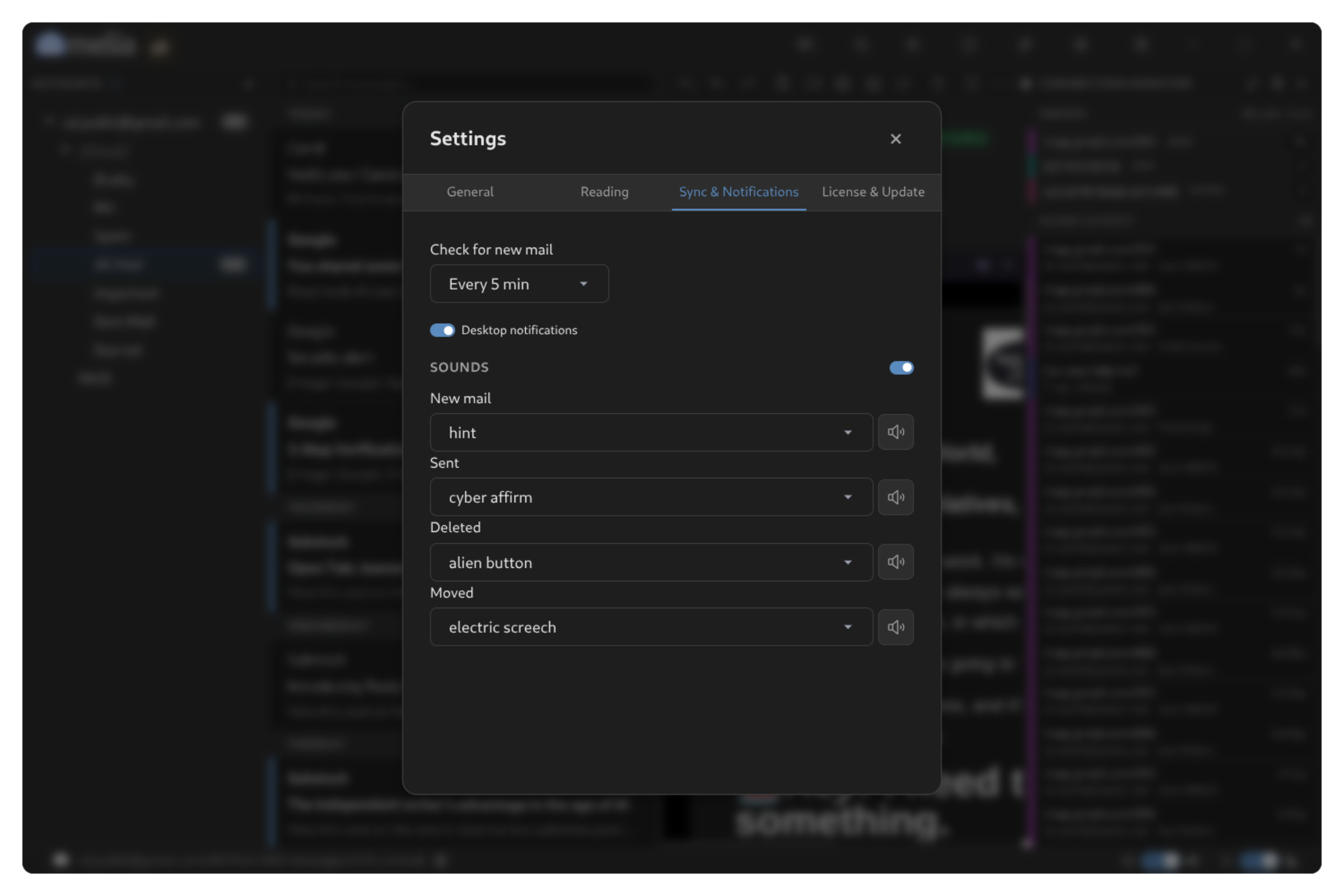
- Sync settings (default being every 5 minutes)
- Sound notification settings (you can set a custom one for new mails, opening the app, deletion, etc.)
- Licensing and updates
There’s an easy to access sync button right on top of the accounts list on the left panel. There are also two toggle switches on the bottom panel, for sound and theme.
My Experience Setting Up Melia
Initially, I ran into some issues setting up Melia.
Two of my accounts, Google and Protonmail, were being difficult to set up. Then I realized the errors I was making.
First, that Gmail requires 2-step-authentication for it to be set up on Melia, so after doing that, there wasn’t an issue.
As for Protonmail, however, using it on an external client isn’t a feature available on the free tier, which made it not possible for me to sync up.
So just make sure you read the instructions when setting up accounts; they’re usually pretty clear and tell you exactly what to do.
Installing Melia on Linux
Since Melia claims to be an e-mail client for Linux, it offers several choices of packages. So, you have Deb package, AppImage, Snap and Flatpak. You won’t find it in the distribution’s repository because the software is not open source.
While Debian and Ubuntu users have the deb package option, rest of the distros can choose among AppImage, Flatpak and Snap.
Final Thoughts: Is Melia Worth Trying?
Melia makes several claims and backs all of them up well. It is secure, transparent, easy on the eyes, and very simple to use. The functions all work very stably, primarily including writing and reading e-mails.
It is definitely worth a shot if you want to give it a trial shot with just one account, and then you can decide for yourself if it is worth the $10 to add your other accounts as well.
I would have been much more happier if it was open source. It’s one of the classic cases where software seems so much like open source but is not actually.
What do you think of Melia? Let us know in the comments.
